For my name project and main project I needed to make characters for my plot and I wasn't exactly sure how to go about it, and this tutorial really helped me understand how to do it! This YouTuber has a lot of great tutorials on after effects that you guys should check out if need any help with certain aspects of After Effects!
Showing posts with label beginner. Show all posts
Showing posts with label beginner. Show all posts
Friday, February 26, 2016

Thursday, September 3, 2015
Cheat Sheet
I am not one proficient in After Affects (yet), therefore I've done a little research looking through blogs, tutorials--anything that will help me learn the program as quickly and efficiently as possible. Obviously, there is a ton of great information on the internet to potentially put into action (including the contents of this blog). But if you're anything like me, the basics have to be grasped first before getting ahead of myself. As we've talked about in class, shortcuts are the key to efficient use of After Affects (and arguably any Adobe program). I understand the importance of being able to navigate AE swiftly and thus I thought I'd share with my fellow animation newbies this:

That's right, folks! The After Affects Keyboard Cheat Sheet. Isn't it beautiful? And what's posted above is only the beginning! The entire PDF includes shortcuts for projects, tools, workspaces, time navigation, layers, text, and so much more. Definitely something to print out and keep in the back of your notebook.
The entire PDF document can be found here.
Friday, March 28, 2014
A lesson on Keyboard Shortcuts
Today, I decided to write my blogpost on one of the most useful things in any software: the Keyboard Shortcuts. Abusing keyboard shortcuts can help you maximize efficiency, and help you work a whole lot faster.
And there you have it! Now, I didn't want to go into EVERY hotkey that exists in After Effects, that would take forever. These are simply the hotkeys that I find myself using on a day-to-day basis, and think they are essential for people to know.
No pictures today, so enjoy this stock image!

The Easy Ones:
Alright, these are the ones that are pretty standard in most programs, so we'll run through them quickly...| Hotkey | Command |
| CTRL-N | New Composition |
| CTRL-S | Saves the project |
| CTRL-D | Duplicates a layer/composition/effect |
| CTRL-I | Imports a file |
| CTRL-K | Opens up the Composition Settings |
| CTRL-ALT-; | Opens up After Effects' Settings |
| CTRL-R | Enable Rulers |
| Shift-F10 | Reset your workspace to default |
Composition Hotkeys:
Here we have a bunch of hotkeys that add or do something to a composition...| Hotkey | Command |
| CTRL-Y | Creates a New Solid |
| CTRL-Shift-Y | Opens the Layer Settings |
| CTRL-M | Add the Composition to the Render Queue (to export) |
| U | Opens all the parameters that contain active keyframes |
| P | Opens the Position parameter |
| S | Opens the Scale parameter |
| T | Opens the Opacity(transparancy) parameter |
| R | Opens the Rotation parameter |
| SHIFT (R/T/P/S/etc.) | Keeps current parameters open, and also opens a new parameter |
| M | Shows a list of available masks on your layer |
| Space | Allows you to Click-And-Drag around your composition |
| Shift-? | Sets the composition to "Fit To Window" view |
| / | Sets the composition to "100%" view |
| CTRL-Alt-Shift-Y | Creates a Null Object |
General Useful Ones:
These are all around really useful and should be used whenever you can...| Hotkey | Command |
| ` | Hover over a window and click "`" to maximize that window, and hide the other views |
| V | The basic selection tool |
| Y | The Pan-Behind tool |
| Q | The Rectangle/Elipse/Polygon tool |
| G | The Pen tool |
| CTRL-T | The Text tool |
| Alt-W | The Roto-Brush tool |
| Numpad 0 | The "RAM Preview" play button |
| F4 | Shifts between Switches/Modes in the timeline |
And there you have it! Now, I didn't want to go into EVERY hotkey that exists in After Effects, that would take forever. These are simply the hotkeys that I find myself using on a day-to-day basis, and think they are essential for people to know.
No pictures today, so enjoy this stock image!
Thursday, September 12, 2013
Short is Sweet
Like many of my peers in the class who are still merely in awe of some of the larger and more ambitious projects we've seen as we scour the Internet for examples, references, and inspiration, I feel overwhelmed. Even a project as long as a minute still involves hours of work.
That's why I felt comforted when I found this blog post that showcases the results of a 5 second sandcastle building contest. Below are some of my favorites that highlight the fact that you don't need to create the next feature animation, especially when you're first starting out.
Sunday, September 9, 2012
Motion Graphics, easier said then done.
As we dove right into AfterEffects this week, I came to grasp how complex motion graphics actually is. Before this class, I watched title sequences and would just be able to comment how cool it looked. Now I am starting to grasp the long hours of hard, tedious work these artist put in.
Our assignment for next class is to animate our names. I am excited that we are getting right into AfterEffects, but I hope I can remember how to do it all. It is one thing to be able to animate your name, it is another thing to animate your name well. It will be fun to play around in AfterEffects, I just hope I don't get lost in the key frames.
One of the most incredible opening title sequences I have ever seen is the opening of Girl With the Dragon Tattoo. The opening creates this epic, yet disturbing, tone. I love the dark color schemes and pictures created out of the splashing metal liquid. This would be a fun (yet extremely difficult) concept for my name animation!
Our assignment for next class is to animate our names. I am excited that we are getting right into AfterEffects, but I hope I can remember how to do it all. It is one thing to be able to animate your name, it is another thing to animate your name well. It will be fun to play around in AfterEffects, I just hope I don't get lost in the key frames.
One of the most incredible opening title sequences I have ever seen is the opening of Girl With the Dragon Tattoo. The opening creates this epic, yet disturbing, tone. I love the dark color schemes and pictures created out of the splashing metal liquid. This would be a fun (yet extremely difficult) concept for my name animation!
Saturday, September 8, 2012
just getting started
I must say I am enjoying my first week of working in After Effects. I came into this class with no prior experience in any graphics software, including photoshop. I have had only a minor introduction to Motion but that was it. My desire to learn this program came from watching my roommate last year spend countless hours working on videos and doing AE tutorials from video copilot. I watched with a sense of awe as a 2-D image suddenly became 3-D and animated. When I saw this class was available, I had to seize the opportunity. My first experiences have been good ones. I have learned how to do extremely basic 2-D animation and how to get text to appear as though it is being written by hand using the "stroke" or "write on" commands. I am also becoming familiar with the nuances of the program such as keyframes, editing the timeline to a certain length and how to render only a certain part of the timeline. What seemed to be a daunting task is now becoming a little clearer with every lesson. I look forward to the remainder of the semester and see what I can really do with such a powerful program.
Saturday, February 11, 2012
So last week in class we learned the basics of green screen and color keying and i thought that it would be helpful if i found a tutorial to create shadows. Without shadows, it simply looks like your person or object is floating. This will help you make the object 3D as well. It is another simple tutorial, hope you guys enjoy!
USE THIS LINK if the video does not load.
USE THIS LINK if the video does not load.
Saturday, January 28, 2012
simple typography
I was scrolling through random typography and motion graphic reels, and this came up! it is very simple, basic, and kind of boring ha
I really don't know exactly what this was made for or who exactly the artist is, I tried looking him up and came up with this website and his tumblr. Since most of the info was in French and I do not understand the language, Google Translate could only help so much so all I could find is that he is graphic designer from Georgia (state in Europe).
It seems as if he creates unique and interesting images for a living -- some with quotes and sayings, others with just vectors and shapes. the above video was only one of three posted on his website and the only one that was obviously created digitally (unlike the others, which might have been filmed)
my point here is that this flow of words and audio really seems easy, that anyone can pick up AE and create this! obviously it might take some time (especially for beginners); the description of the YouTube was "my second typography animation ... i'm new to AE"
hope this makes sense and you thought was worth watching too
Sunday, September 18, 2011
Photoshop Tutorials
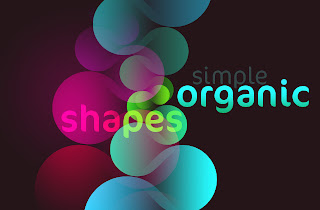
The video below demonstrates the power of using Photoshop and After Effects together. It also looks like a valuable tool to be able to download different custom brushes to create images quickly.
Saturday, September 10, 2011
Eager to learn
As I searched the web and read the rest of the posts in the blog, I found myself stuck because I couldn't think of anything to write about. Partly because the world of motion graphics and animation are very unfamiliar to me.
I decided that I would talk about what this class and this new world that I am studying will do for me. I have been concentrating on editing in the past three years of my college studies. That is why I am taking this class this semester. Adding motion graphics experience and animation experience to a resume is always beneficial.
Another reason why I see this to be beneficial, is because it opens up a whole new world in which I may find a niche that I love doing the most. Being able to be a part of the entire post-production process is rewarding and gives one a sense of pure accomplishment.
I wanted to share this as a beginning post because I feel like there are a few people in the same boat as me and are eager to learn new things.
I would also like to take this time to ask if anyone could suggest some great tutorials or educational sites that could help me learn after effects at a faster more efficient way.
I decided that I would talk about what this class and this new world that I am studying will do for me. I have been concentrating on editing in the past three years of my college studies. That is why I am taking this class this semester. Adding motion graphics experience and animation experience to a resume is always beneficial.
Another reason why I see this to be beneficial, is because it opens up a whole new world in which I may find a niche that I love doing the most. Being able to be a part of the entire post-production process is rewarding and gives one a sense of pure accomplishment.
I wanted to share this as a beginning post because I feel like there are a few people in the same boat as me and are eager to learn new things.
I would also like to take this time to ask if anyone could suggest some great tutorials or educational sites that could help me learn after effects at a faster more efficient way.
Subscribe to:
Posts
(
Atom
)