Showing posts with label After Effects. Show all posts
Sunday, May 1, 2016
Newton for After Effects
Newton is an awesome plugin for After Effects that simulates 2D physics. As someone who has worked with 3D programs such as Cinema 4D where simulating physics is very smoothly built in and advance, this plugin is a great crossover. Instead of key-framing a ball bouncing for example and trying to make it look as real as possible, Newton allows you to tweak real world physics properties of your objects and simulate real physics. It is great for having things that react to gravity such as objects falling. You can set objects as static and all objects will collide with each other automatically, which is very handy. The plugin has tons of possibilities, which I look forward to exploring, and I have been using some on my third project.
The program is $250 but you can get a free trial and try it for yourself. Here is the website, and here is where you can download it. I highly recommend you check it out.
Labels:
2D
,
3D
,
After Effects
,
Cinema 4D
,
download
,
engine
,
Free Trial
,
Gravity
,
Maya
,
motion graphics
,
newton
,
newton 2
,
physics
,
simulate
,
simulation
Thursday, April 28, 2016
A Cool Tutorial and A Cool Website
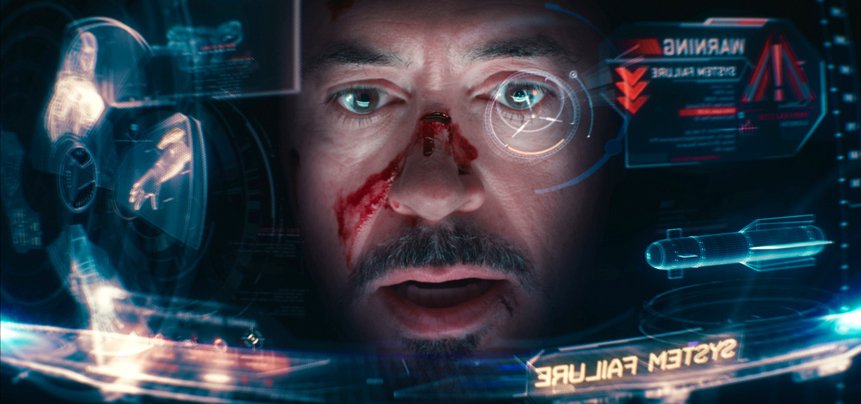
I might be catching you off guard with this one, but - I found something cool on reddit! This week it was a tutorial I found on /r/VFX on how to create the HUD (heads-up display) from Iron man, aka the cool hologram stuff you see when Tony Stark puts his helmet on. While the tutorial was pretty fast moving and involved a lot of things I had never seen before, I liked the light humor throughout it and it kept me engaged. Engaged enough to make it to the 5:45 mark that is, when the maker of the tutorial shows off his website. I went over to productioncrate.com to check it out and I found some pretty cool stuff there. They have lots of cool video FX and royalty free audio you can download, as well as some tutorials (although I haven’t yet looked at any of the tutorials besides this one). To download things you need to make an account, but a free account can still give you access to download some pretty cool stuff. I’ll definitely come back soon to check out exactly what I can get with a free account and see whether a pro account is worth it. Because in the grand scheme of things, $40 per year for a full-access account can save me a lot of time and help make some things a lot cooler.
Labels:
After Effects
,
animation
,
audio
,
heads-up display
,
hologram
,
HUD
,
Iron Man
,
Music
,
production crate
,
productioncrate.com
,
Robert Downey Jr.
,
Tony Stark
,
tutorial
,
vfx
,
viideo FX
Thursday, April 14, 2016
Real World Animation Tutorials
You may have seen these videos on Vine or Facebook or somewhere. This guy Arron is a talented motion graphics editor who uses After Effects to make real world animations.
This is just another example of how advanced you can get with After Effects. He has a full tutorial on his After Effects techniques for this type of realistic, real world animation. It is not free ($50), but these techniques are extremely useful for advancing your realistic motion graphics abilities.
Check out his site for more information, other tutorials including free ones, other examples of his real-world animation videos, and more.
Labels:
3D
,
3D motion graphics
,
After Effects
,
animation
,
motion graphics
,
Ted
,
tutorial
,
vine
Tuesday, April 12, 2016
Professional Uses of After Effects
A lot of production companies and video game development companies design their own in-house software to accommodate their needs, such as Pixar. However, even these studios use publicly accessible software such as After Effects to do things we assume were made on far fancier software.
Here is a video from Adobe's site detailing the use of After Effects as a major editing tool for the movies Iron Man 3 and Oblivion. Its cool to see how within reach the professional level methods and motion graphics are, for those of us advancing our varying levels of motion graphics abilities. (Adobe has some other great videos relating to After Effects and their other products that are worth looking through.)
Labels:
adobe
,
Adobe TV
,
After Effects
,
animation
,
cinema
,
hollywood
,
in-house
,
Iron Man
,
motion graphics
,
Oblivion
,
Pixar
,
professional
,
public
,
tutorial
Thursday, April 7, 2016
Liquify
For one of my animation projects I needed to melt different objects. I did some research and found this interesting tutorial on how to liquify objects in after effects. It's very helpful and I plan to use this tutorial for my project. The animator does a good job of displaying the steps and in the end, the liquify effect seems to work perfectly. Check it out!
Thursday, March 31, 2016
Always Working
I’ve taken a growing interest lately in “behind the scenes” videos for large budget productions. One animated video that I recently saw was a short promo for McDonalds called Always Working. It was a one minute piece made with 3D printed figures and a background full of miniature plastic trees and hills. The reddit user who posted it also included a “making of” video that I found to be very interesting. It shows all aspects of the production process, including some of the character modeling in Maya and compositing in After Effects. The reddit user was an animator on the project and also held a mini AMA (Ask Me Anything) session in the comments of the post. I think that videos like this one give an interesting glimpse of what it may be like to work as a professional animator.
Labels:
3d modeling
,
3d printed animation
,
advertisement
,
After Effects
,
Always Working
,
animation
,
animation community
,
art
,
behind the scenes
,
making of
,
Maya
,
McDonalds
,
promotional videos
,
reddit
,
set design
Fresh Grass
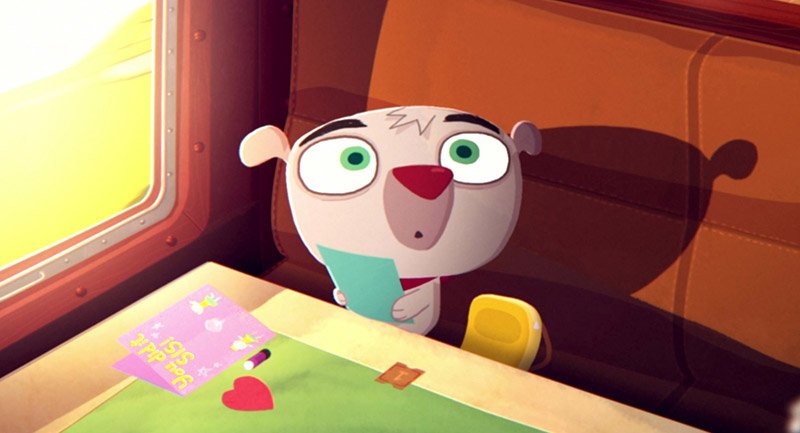
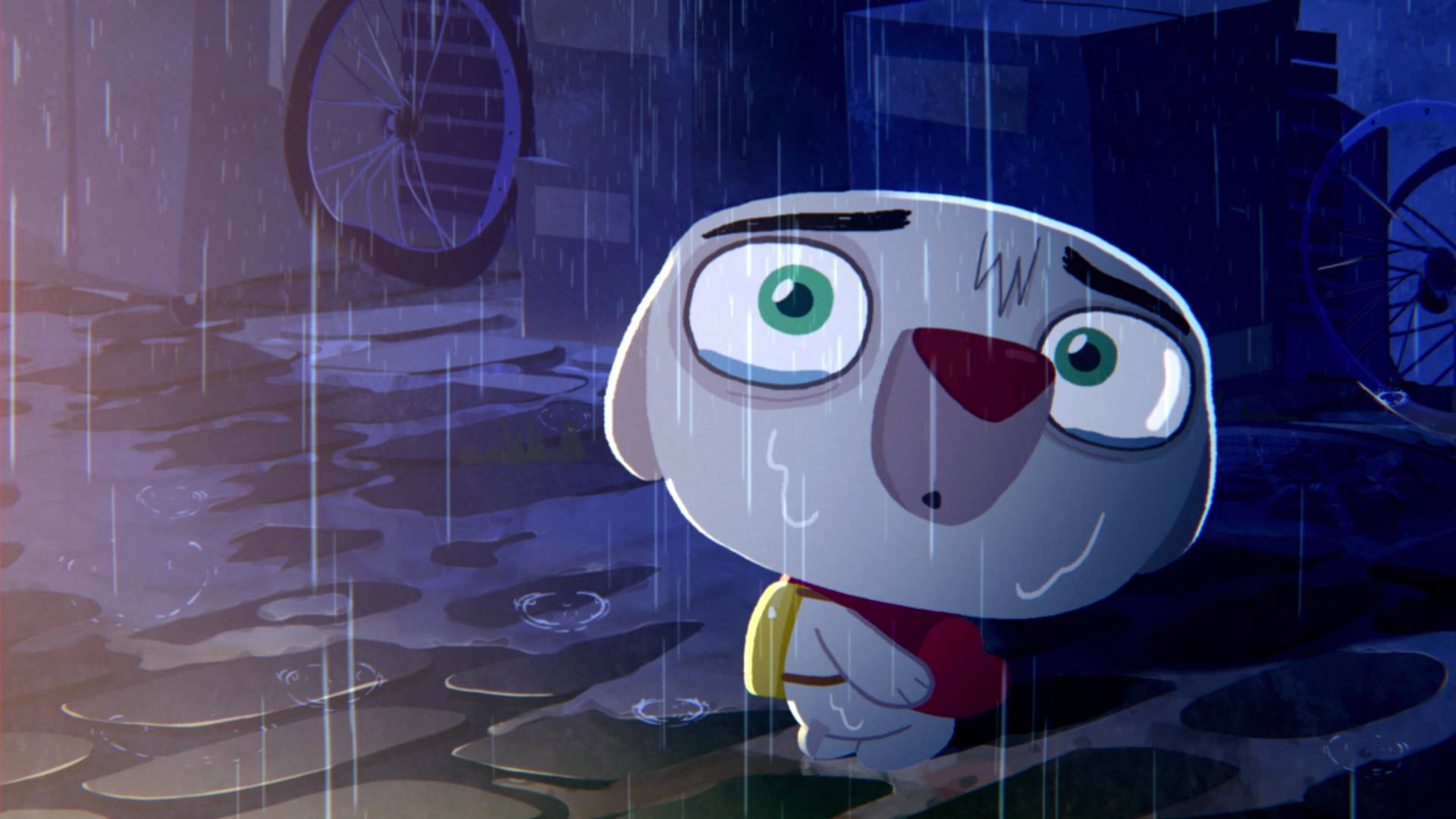
Fresh Grass is an animated short film written and directed by Irish filmmaker Robert Cullen. Released in 2014, Fresh Grass follows the story of a little dog who leaves his small town home to journey to the big city to visit his sister. A seemingly simple and innocent story, this short film quickly pulls a 180 and throws the audience into a bizarre setting that leads to a bitter twist.
This 10-minute short does a great job of deceiving its audience of where it is headed and it definitely catches you off guard when things start to get weird but this is exactly what the director intended. In an interview with Robert Cullen, he explained how he has had this story idea for years and had every shot and composition thought out already when he was finally given the opportunity to make it. The short was put together using elements from Flash, Photoshop, and After Effects and it took about eight weeks to complete with a crew of 25.
Overall, Fresh Grass is a fresh twist on an innocent tale that is definitely worth checking out. You can view the entire short by using the link below.
https://vimeo.com/148380343
This 10-minute short does a great job of deceiving its audience of where it is headed and it definitely catches you off guard when things start to get weird but this is exactly what the director intended. In an interview with Robert Cullen, he explained how he has had this story idea for years and had every shot and composition thought out already when he was finally given the opportunity to make it. The short was put together using elements from Flash, Photoshop, and After Effects and it took about eight weeks to complete with a crew of 25.
Overall, Fresh Grass is a fresh twist on an innocent tale that is definitely worth checking out. You can view the entire short by using the link below.
https://vimeo.com/148380343
Labels:
2014
,
Adobe Photo Shop
,
After Effects
,
animation
,
Boulder Media
,
Flash
,
fresh grass
,
Ireland
,
robert cullen
,
short film
After Effects Scripts
This is a great website that contains tons of After Effects scripts. These are scripts that have been written by other people and sold online. The scripts vary in price: some free, some expensive, some where you can name your own price and question how much of a cheapskate you are. There are effects like many of the plugins you come across, but many just help with productivity and quickly doing things that would normally eat up time. The scripts and plugins vary in type and program and can be very useful. Check them out when you get a chance. They can inspire ideas, or click in your mind when you see how convenient something can be.
Thursday, March 24, 2016
Most Used Motion Graphics Techniques
This week while browsing reddit, I found a blog post that summarized the top 25 techniques that motion graphics artists use to make simple videos look better. Some of these techniques I had practiced in the past, while some of these were completely new to me. It’s a good checklist to go through if you’re looking for ways to make a plain video look better, and I will definitely check this list before finalizing videos in the future. The link can be found here, and it’s a url that I have bookmarked for future use. /r/aftereffects has provided me with lots of valuable posts, and I plan on using these posts in the future as a valuable source of learning.
Labels:
/r/aftereffects
,
After Effects
,
animation
,
best practices
,
most used
,
motion graphics
,
reddit
,
subreddit
,
tips
,
tricks
Designing After Effects Assets in Adobe Illustrator
Someone posted this article on Facebook. For people who are just getting into After Effects animation, this can be helpful when designing assets. Photoshop is great for some things but it is raster based meaning things created in it are a set pixel ratio, and scaling it up will reduce the quality. Illustrator is vector based so your images basically have infinite resolution. Because the two programs are both made by Adobe they work very well together, so making adjustments to an imported illustrator asset file, will show up in your After Effects project. Illustrator is also a more advanced tool as far as asset design in many ways, because that is really what it is meant to do, while After Effects is primarily a compositing program. Consider using illustrator to design your assets and export and import them into your After Effects project. Especially for more detailed objects. And check out the article if you want. It just gives some advice on asset creation and proper importing of layers and what not.
Labels:
adobe
,
After Effects
,
animation
,
art
,
asset
,
Create
,
design
,
export
,
graphic design
,
Illustrator
,
import
,
program
,
settings
,
Tablet
Wednesday, March 23, 2016
After Effects Tutorial: Particle Text Effect
I've been looking for a lot of After Effects tutorials that would give me cool text effects and give me lots of options for customization. This is a nice one that I found by Morocco that uses a particle effect--but I found that it could be altered to fit any other type of aesthetic.
I really like the style of this tutorial--it feels very modern and fresh but extremely customizeable. It's a good resource, especially since we've been dealing with a lot of text. Morocco's channel also has a lot more tutorials that deal with particles and logos and such.
If you want to explore more, definitely check out his Youtube channel--he has Photoshop tutorials as well as After Effects that are just as good.
I really like the style of this tutorial--it feels very modern and fresh but extremely customizeable. It's a good resource, especially since we've been dealing with a lot of text. Morocco's channel also has a lot more tutorials that deal with particles and logos and such.
If you want to explore more, definitely check out his Youtube channel--he has Photoshop tutorials as well as After Effects that are just as good.
Labels:
#animation
,
After Effects
,
animated logos
,
Morocco
,
tutorial
,
Youtube
Thursday, March 10, 2016
Video Copilot's New Saber Plugin
Labels:
After Effects
,
andrew kramer
,
animation
,
effects
,
lightsabers
,
motion graphics
,
plugin
,
Saber
,
Star Wars
,
video copilot
Tuesday, March 8, 2016
Film Riot
Film Riot is a YouTube channel that deals with all aspects of filmmaking. If you have not checked them out you seriously should. I have watched hours and hours of their videos and to be honest feel like I have learned more about filmmaking from this YouTube channel than many of my film classes over my four years here.
The videos feature Ryan Connolly, the host, with appearance from his team as they tackle various aspects of professional filmmaking as simply as they can. The videos include the final result of what they tackle, and then through hosted explanation, they explain how they did what they did. They are quite thorough and easy to follow and learn. They also have some DIY videos for making cheap filmmaking gear on a budget. They have a store where they sell a variety of different assets, make gear recommendations, sell merchandise, and more. They are a fantastic and useful channel and I highly recommend you sift through it, you will definitely learn a lot.
Film Riot:
Labels:
After Effects
,
animation
,
diy
,
editing
,
film riot
,
graphics
,
how to
,
motion
,
ryan connolly
,
sfx
,
Special effects
,
tutorials
,
vfx
Thursday, March 3, 2016
MoGraph for Bernie Inspired MoGraph for Me
This week, I was browsing reddit when I came across an interesting post. It came from one of my newest subscriptions on reddit - r/AfterEffects. The post, titled “MoGraph video I made for Bernie”, gave me an interesting idea as to how I could apply some of my new skills. The video takes the normally visually unappealing topic of voting statistics and used motion graphics to bring some life to the numbers. I thought this was an excellent way of keeping an audience interested and involved with a topic that might have otherwise been bland or boring. Inspired by this post, I have decided to work on a video for The Ithacan that follows the same style - using nothing but motion graphics and voiceover. One thing I am somewhat nervous about is the amount of time this may take. We usually try to get videos posted at the same time as their accompanying article. This would give me 5 days to get all the facts I need, make the entire video, get it criticized and fixed up, then finalized and posted. I’m not sure whether I’ll be able to make the tight deadline, but it is something that I’m definitely interested in trying and I’m up for the challenge.
Labels:
After Effects
,
animation
,
Bernie Sanders
,
MoGraph
,
motion graphics
,
narration
,
r/AfterEffects
,
reddit
,
subreddits
,
The Ithacan
,
Voiceover
Short and Simple After Effects Fire Tutorial
I'm planning on making a ridiculously over the top video game intro sequence for the title project, and, in my opinion, you can't have a ridiculously over the top anything (or a good one, anyway) without fire and explosions. Simulating such things in After Effects probably requires quite a lot of time and effort, along with one or two additional plugins, but I found a pretty good tutorial for simulating fire using the particle system already built into the app. Of course, the fire simulated through this tutorial isn't as high quality as a much more advanced tutorial would deliver, but I think the end result is still decent enough to get the point across.
Labels:
After Effects
,
After Effects tutorials
,
fire
,
no plugins
,
particle effects
Finding Out How To Render
Today I found out that I have been rendering wrong for a while. It may possibly be because I did not take notes that were extensive enough, but Arturo informed me today that I cannot render with the Animation setting and that H264 was a better option. I also found out that closing applications makes rendering go faster. These may seem like simple things to most people, but it was a great revelation for me and makes it easier on my part. I also learned just how long it takes to render an animation. For my name project only being 8 seconds long, it is incomprehensible to me how long a full length animated movie must take to render. For Pixar films, I found out that it can take anywhere up to 8 hours to render just one shot of the film. The time it takes to create animated films and the patience needed to render is impressive and admirable.
Labels:
After Effects
,
animation
,
applications
,
Films
,
h264
,
Pixar
,
render
,
rendering
,
shot
,
time
Thursday, February 25, 2016
The Ithacan New Lower Thirds
I recently was able to use After Effects for my first project outside of this class. It was a fairly simple animation, but I made a new lower third for use in The Ithacan multimedia videos. This is my first semester working as Assistant Multimedia Editor for the Ithacan and one of the first things I noticed was the visually unappealing lower thirds. I brought this up with the rest of the multimedia team and we decided it was time for a change. Here is an example of the old lower third, and here is the new animation in use. While it’s nothing flashy or fancy, I was glad to be able to start applying my new After Effects skills. Upcoming in the near future is also a new intro/outro clip for The Ithacan as well.
Labels:
After Effects
,
animation
,
Ithacan Multimedia
,
Ithacan Online
,
Lower Thirds
,
motion graphics
,
News Graphics
,
News Packages
,
The Ithacan
Put a Helicopter in Your Film
Here's a pretty cool tutorial on how to turn a cheap toy helicopter into a believable life sized helicopter using green screen and After Effects. Film Riot also has a lot of other cool tutorials like this.
Labels:
After Effects
,
green screen
,
helicopter
,
Miniature
,
Toy
Wednesday, February 24, 2016
Goals
Someone at the production company I interned at, shared the reel of a Norwegian motion graphics artist named Marcus Eckert. His motion graphics skills are extremely impressive. There are two abilities you have to have to be a successful motion graphics artist. Ideas and mechanics. Just because you know the program, doesn't mean you have the creative mind to come up with a design that successfully works with the project. And of course if you have ideas, you have to be able to implement them and make them come to life. This guy can do both, and I aspire to reach his level. Check him out:
Labels:
After Effects
,
animation
,
design
,
goals
,
graphics
,
Marcus Eckert
,
minimalist
,
motion
,
motion graphics
,
reel
Tuesday, February 16, 2016
Animation for Beginners
These past few weeks have felt like a foreign country to me. The animations that we have learned through After Effects have been helpful but it seems to me that I'm learning a lot slower than the others. I've been watching tutorials and trying to keep up in class, but I always seem to be a little farther behind. I would love to set a goal to be able to get better at animation and After Effects throughout the next few ways. I've gotten used to key frames and simple animations, but beyond that, I need to try a little bit harder and work towards getting better sooner rather than later.
Labels:
After Effects
,
animation
,
class
,
key frames
,
learning
,
motion graphics
,
tutorials
Subscribe to:
Posts
(
Atom
)