Film Riot is a YouTube channel that deals with all aspects of filmmaking. If you have not checked them out you seriously should. I have watched hours and hours of their videos and to be honest feel like I have learned more about filmmaking from this YouTube channel than many of my film classes over my four years here.
The videos feature Ryan Connolly, the host, with appearance from his team as they tackle various aspects of professional filmmaking as simply as they can. The videos include the final result of what they tackle, and then through hosted explanation, they explain how they did what they did. They are quite thorough and easy to follow and learn. They also have some DIY videos for making cheap filmmaking gear on a budget. They have a store where they sell a variety of different assets, make gear recommendations, sell merchandise, and more. They are a fantastic and useful channel and I highly recommend you sift through it, you will definitely learn a lot.
These past few weeks have felt like a foreign country to me. The animations that we have learned through After Effects have been helpful but it seems to me that I'm learning a lot slower than the others. I've been watching tutorials and trying to keep up in class, but I always seem to be a little farther behind. I would love to set a goal to be able to get better at animation and After Effects throughout the next few ways. I've gotten used to key frames and simple animations, but beyond that, I need to try a little bit harder and work towards getting better sooner rather than later.
Before this week, I’ve had almost no experience with After Effects and this is something that I would really like to change. I’ve been messing around with a few fun projects as well as watching lots of Video Copilot tutorials this week, and I’m only just starting to get a taste of the really cool things After Effects can do. While watching one of these tutorials, an idea came to me - I should spend a little bit of time each week working on a small, fun side project as a way to track my experience with After Effects. By the end of the semester, I’ll be able to look back and see how my skills have progressed (and probably laugh at how poor my work was at the start). For that reason I’ve uploaded my first animation of this series to Youtube.
My project this week was made on the night of our first class session. It’s simply a solid blue cube changing position, size, and rotation using keyframes. I used the “Easy Ease” option in the Keyframe Assistant to give the the cube more realistic physics, i.e. nonlinear speed (picks up speed gradually and slows down as it approaches the next point). Easy Ease is something that I picked up from Video Copilot, and it was very easy to understand and to use. I think that if I stick with those tutorials, I will be able to learn a lot of useful tips and tricks fairly quickly.
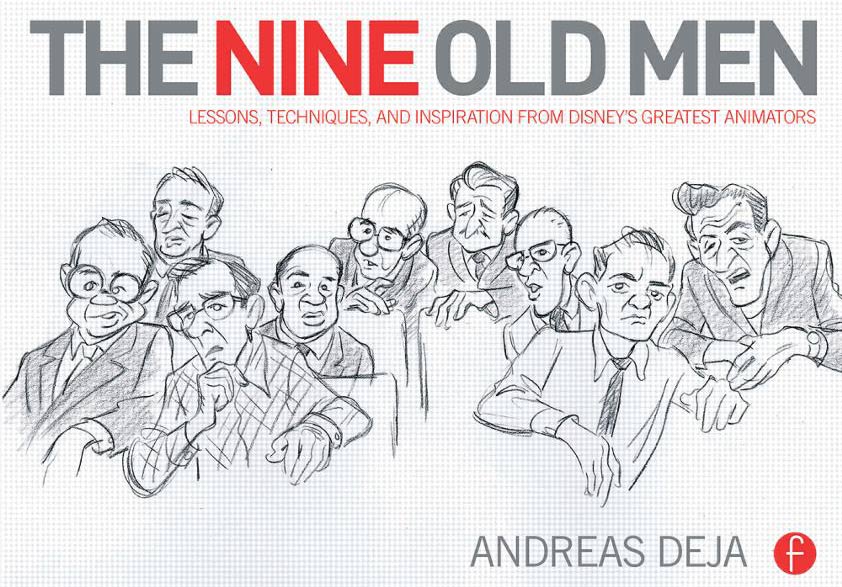
In case your wallets aren't crying from buying all your textbooks this semester, there are a couple of not-quite-textbooks that I definitely recommend checking out if you can get your hands on them. If you're at all interested in the work and techniques of hand-drawn animation, these are must-haves. The first one in question is The Nine Old Men by Andreas Deja - an animator who has contributed work to a wide variety of the Disney films' villains - which chronicles the stories of the nine biggest Disney animators and what work they contributed to what films. Don't worry, there are plenty of pictures; this book features loads of storyboard artwork and sketches of keyframes from some of their iconic animation sequences. Quite an interesting read for people looking for inspiration of what to draw and how to make their drawings come to life.
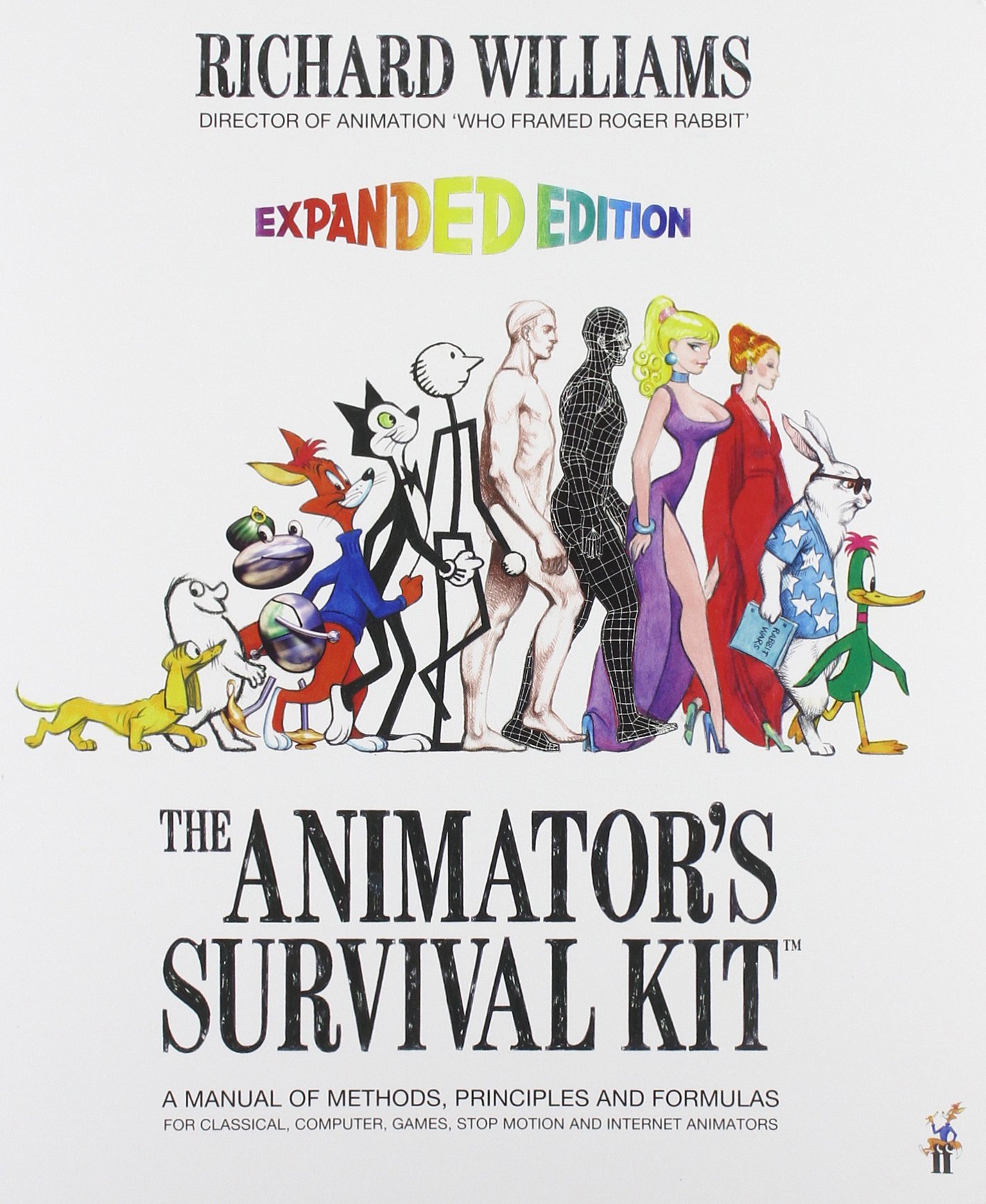
The second book to add to your shopping list is The Animator's Survival Kit, written by Richard Williams, the director of animation for the film Who Framed Roger Rabbit. This entry goes more in depth on the tutorials for the fundamentals of hand-drawn animation; it includes the essential stuff like bouncing balls, walk cycles and body physics, but it also includes do's and don'ts of how to animate dialogue, the methods of visualizing the the sequence of anticipation-action-reaction, and a general workflow of this style of animation. There's also some great examples of how to animate four-legged animals realistically, tips on directing a project, and other cool sequences that can make for some fun drawing exercises. Not to mention all the text looks like it was hand-written (it probably was, it's the source of this book's charm).
So if you're ever looking to make the next Disney or Warner Bros. animation film, grab a lot of paper and pencils, an animation lightbox from PPECS, and these two books and you'll be well on your way.
So if you have not heard yet, lynda.com is now accessible for FREE to all of us now. Go to your myHome and it is the last tab on the left hand side menu.
Lynda.com is an online education company that offers thousands of courses and tutorials for softwares, creative applications, and business stuff. Basically, you can learn so much and there is so much to choose from. I know what I'm doing this break!
There is also shorter versions of the courses available on YouTube. One of the ones that I recently saw was on cameras in After Effects. I think it's extremely useful.
Hey All!
So as I mentioned at the top of the class a few weeks back, I've been working as a freelance animator for the past 3 years. While I'm no where near a professional level I do think I've learned a few things during my time that might be helpful to those who might want to further explore animation as a medium. Here's a little piece that I put together a few years back if you guys want a better sense of the kinds of things I've worked on:
This project took around 30 hours to complete.
The Software
With the exception of some light After Effects work, I animate exclusively in Flash CS3. This version of flash came out a few years ago, but it's one that many animators still use today. It's got everything you need to produce quality animations, and it's got one of the widest library of plugins of any version of flash.
That being said the program is a RAM hungry monster and will very often crash on you without warning. So make sure that whenever your working with flash, you save twice as often as you would in any other program.
The Hardware
As Professor Arturo mentioned earlier, if you're hoping to do any sort of design work you're going to need to get yourself a drawing tablet. I picked up my Wacom Bamboo fun around 4 years ago, and it's still going strong. If the pricetag is above what you're willing to spend then I'd advise working primarily on the Cintiq's in 168, they're top of the line and used by almost every full time animator I know and on top of that they are super cool.
ALSO. While it's not essential for animating, I'd seriously consider purchasing your own condenser microphone. If you;re in a pinch and need to crank out some last minute foley having something like a Blue Snowball mic is incredibly handy.
The Work
There will be a lot of it, it will last forever, and it will be very tedious! However don't let that deter you! Once you get into the swing of things it's actually very relaxing to spend an after noon with a cup of tea, turn your higher functioning off, put on some beegees and let you lizard brain do the work.
The best thing you can do to hone your skills as a novice is practice, but the SECOND best way is to watch tutorials online. Even if you;re only really half paying attention, you can learn a lot about how to better work your work flow when you're able to watch the way others work.
Here is a link to a great set of tutorials I put together a few years back, they're all about flash animation but they're really easy to follow and presented in a beginner friendly way.
That's all I can give you guys for now, but so often I find myself completely changing the way Iwork because of tricks or time saving plugins I've found.
Let me introduce The OMEn Chronicles, written by RJ Aguiar and directed by Wren Weichman. The short film takes place fifteen years after the events of the world-famous Harry Potter series. Although not a lot of information is put forth, it can be inferred that some serious business is going down amongst the wizarding community. While the plot and acting leave a little bit to be desired, the main thing I'd like to address are the special effects. Because this wouldn't have been nearly as half as good as it was, if it had not been for the effects. Especially for a movie about magic, the special effects could be argued to have acted as another character by themselves.
It's always fascinating to me, watching the before and after shots of any film with a high rate of special effects. It really does make a difference between what was initially shot and what came after. In this case, the post-production work that went into the film was something to be commended. Maybe not for its perfect performance, but by its ability to transport this footage into an entirely different type of world: where magic looks just as real as you and me. Even the color-grading that went into the making of this worked to present an atmosphere that was in synch with the tone of the film.
And like any other filmmaker interested in this field, I love to know just how things were done. Which is why his tutorials are worth it to check out. Much like other tutorials we've experienced, he provides footage so that we're able to follow along as he teaches us. It's not a perfect system, but it's definitely something you can learn from.
Even if special effects aren't your thing, The OMEn Chronicles are worth it to check out.
So many of us know of the popular Andrew Kramer, who gives us tutorials on Video Copilot. He gives you a lot of tutorials, but I find myself looking for more and different tutorials. So I wanted to share some another website that I have found that contain more tutorials. So that you can have them for any project.
The first website is called Motion Works. Based in Sydney Australia, John Dickinson is a cutting-edge motion graphics artist who is in demand. As Senior Broadcast Designer at Foxtel (foxtel.tv), ambassador and presenter for Adobe Australia, John delivers highly creative yet commercially relevant motion graphics solutions. With Motionworks, John combines 15 years of industry experience with a proven teaching ability to provide high quality learning resources that encourage and challenge participants to break through to new levels of excellence and impact in their work.
We have been focusing on working with AE mostly in class but I've been playing around with some of the other programs such as Flash. I came across this series of demo videos on Reddit that were clean, simple, and informative.
So in researching a project for another class I came across this new technology being developed by Qualcomm called Vuforia. It is an augmented reality interface that allows you to use a camera on your phone or another device to look at an object and get real time instruction on how to use said object. One of the employees likened it to Google Maps turn by turn directions but for real life applications. The applications of this technology would be endless. It could be used to give after effects tutorials as one example. I am definitely interested in the interface though. In the video they point the phone at a desk phone and get taught how to make a conference call. The software recognizes the phone and highlights the buttons you need to press in order for it to work. This could be produced for larger scale things in the future and the possibilities are endless.
I have recently just bought an new "bible" for After Effects that is really great and I have been trying to become very fluent in this program because I know it's importance in the industry today. The book is called Motion Graphics with After Effects and is written by Trish and Chris Meyer. It is very detailed and comes with a DVD-rom that filled with unlimited chapters for and examples for each person to follow along with each lesson. I also ran into a tutorial on Video Copilot that was not only very helpful, but it also was very cool. It is tutorial #40 on the website and it is the map zoom tutorial. I found this tutorial very effective for my current project for my future employer. I couldn't upload what I came up with or my other work for this demo unfortunately, but I encourage people to buy this book and with a combination of tutorials and the book, your knowledge of the program can increase rapidly.
I found for me that having the book is very helpful because it helps you understand not only the tools and abilities of After Effects, but it helps you understand how each tool works. This is beneficial because now you can understand how to figure out problems and how new shortcuts work and help same ample time.
I was researching different tutorials to help me figure out what to add to my project for class. I really wasn't sure what I was looking for so I just Googled top after effects tutorials and I came across this website. Click Here.
I am posting some of my favorite effects and you can visit the tutorials on the website if you are interested in them.
So since it is Halloween my friends and I were watching some creepy movies, one of which was Predator. All my friends were talking about how it must have been so hard to do so many of the effects that were seen in the movie since it was produced so long ago. I started talking about after effects and how it would be easy to do now. A couple of them bet me that I couldn’t. So I was looking online and found several tutorials about how exactly the effect was done. The people doing the tutorials aren’t exactly “professional” or the easiest to understand, but they have a decent step-by-step tutorial, (3 phases) of how to replicate the predators helmet “hud” as they call it. Here are the three videos.
In this class so far we have mostly used Photoshop and After Effects, but despite the fact that we talk about Flash, we have never actually used the program or learned how to use it. Well I decided that I was quite curious how it different from After Effects especially after watching Becca's intro project. After doing a bit of research I found a few basic tutorials that can help understand Flash and how to use it.
The first one that I found is called Entheos. It provides different tutorials on animation and effects concentrating on a specific effects in each sample. It also provides tutorials on Action Script and other miscellaneous effects. Plus, just in case you feel like learning more, Entheos provides other Flash Resources and articles. Entheos also provides tutorials for Photoshop (since the two programs go hand-in-hand) which are also really helpful and provide some really awesome designs and ideas, as well as Dreamweaver and a few other programs.
After watching the simple animation tutorial I found that Flash reminds me of a mix of Photoshop and After Effects. The layout of Flash CS5 resembles the layout of Photoshop CS5 but it obviously has the controls of After Effects. Personally, this made me feel far less intimidated with the program because I am far more familiar with the controls than I would have expected.
Another site that gives you tutorials on pretty much anything you need is Toxiclab.org. It allows you to research whichever program you want and then provides you with different examples and articles to help you. Flash, Illustrator, and Photoshop are among the programs you can learn.
Finally there is Tutorialized which provides a ton of tutorials for graphics in Maya, Illustrator, Photoshop, and of course, Flash.
I hope people take advantage of these because, while they are basic, I found that the tutorials provided a really good foundation for learning Flash, as well as Photoshop. Since we have been concentrating on After Effects so much in class I figured these can give us the basics of Motion Graphics in another outlet. Good luck to all, I hope you enjoy them as much as I did.
So I was looking up different green screen works when I found this. It's called Hollywood Camera Work and it's basically a site dedicated to practicing green screen and other visual effects. It allows you to download different pieces of each scenario for free, and while it might look a little cheesy, it provides a good chance to practice "keying, matchmoving, compositing, tracking..." with a green screen.
Again, this site seems like it would be really helpful for the basics of After Effects so check it out.
Practice matchmoving and chroma keying.
Practice Tracking.
If you use these with other tutorials, like those on Video Copilot, I think they would prove really helpful, especially since we don't usually have access to actual videos with green screen.
So when I was first futzing around with Photoshop, I absolutely hated the pen tool because I couldn't get a handle on how to use it. It was seriously my #1 enemy there for a few weeks. One of the things that helped me get used to using the pen tool in a way that didn't want to make me punch a physical embodiment of Photoshop was this tutorial here by Psdtuts. It's a guide to the pen tool that comes with a Photoshop project file (or an image, I can't remember which) that you can practice the pen tool on. The image that comes up in the file is just an outline of PSDTUTS with instructions on how to use the pen tool to trace the letters, complete with instructions on what keyboard shortcuts to use. I thought it was really helpful and kept coming back to it to practice on over the summer. The pen tool is also used a lot in After Effects, so I figured this would be a useful tutorial to post.
Psdtuts also has a lot of other tutorials here on all sorts of topics (3D, design, etc.) that are pretty interesting. I learned Photoshop the roundabout way- I went straight to the tutorials without knowing anything about the program and started with the most basic ones. For me, I like having a goal in mind rather than just clicking on tools and stuff, so having the tutorials give me a goal and teach me the tools at the same time was awesome. But maybe that's just me and my scenic route of learning programs.
I was just looking at some tips and tricks for Photoshop and I found this website Six Revisions that is specifically for Web Developers and Designers. On the website is an article titled "21 Advanced Photoshop Tips, Tricks and Tutorial Roundup" which has links to some cool tutorials and techniques. I found tip 21 to be really interesting and a cool way to change the overall feeling of photos.
Another site that I thought was really interesting was GoMediaZine. On the website I came across a page "Top 28 Best Motion Graphics Blogs and Resources." Of course the top site listed was Video Copilot but it has 27 other sites that also have tutorials and plug-ins for after effects.
For my post I wanted to focus on Photoshop due to the program being newly introduced to me just like After Effects. I searched for basic tutorials and found a website that contains thirty five extremely basic tutorials to read through with graphics. The site helps introduce portions of the interface we have not discussed yet in class. One of the tutorials I believe that is worth taking a look at is the Retouch and Healing Tools. It provides simple methods to fix textures and a way to clone objects. Another useful tool that is simple to use is the Background Eraser Tool. This tool can make a world of difference when you are trying to enhance a photo. More useful information can be found in Photoshop's less known shortcuts. Photoshop also gives you the ability to change shortcuts to create a better interface for yourself and also create shortcuts of your own. The last tutorial worth mentioning is one that utilizes simple shapes to create intriguing designs.
The video below demonstrates the power of using Photoshop and After Effects together. It also looks like a valuable tool to be able to download different custom brushes to create images quickly.
As some of you have already confirmed, Andrew Kramer from Video Copilot is one of the most knowledgeable AE trainers and he is also fun, something not always true of other "tutorialists"!
From a 2009 interview by John Dickinson
I like this following video because it exemplifies how effects can be created with the simplest of means. I mentioned in class the case of the British design collective Tomato, that when asked the question "what tools (or programs) do you use to create all those cool effects" they responded by saying, "I dunno!, whatever is at hand"
So, the idea here is that you observe the everyday world around you and think what can be used to create your own stock footage of elements for compositing, backgrounds, particles, reflections and so forth. Keep your eyes, ears and mind open but more importantly have fun and enjoy!
As I searched the web and read the rest of the posts in the blog, I found myself stuck because I couldn't think of anything to write about. Partly because the world of motion graphics and animation are very unfamiliar to me.
I decided that I would talk about what this class and this new world that I am studying will do for me. I have been concentrating on editing in the past three years of my college studies. That is why I am taking this class this semester. Adding motion graphics experience and animation experience to a resume is always beneficial.
Another reason why I see this to be beneficial, is because it opens up a whole new world in which I may find a niche that I love doing the most. Being able to be a part of the entire post-production process is rewarding and gives one a sense of pure accomplishment.
I wanted to share this as a beginning post because I feel like there are a few people in the same boat as me and are eager to learn new things.
I would also like to take this time to ask if anyone could suggest some great tutorials or educational sites that could help me learn after effects at a faster more efficient way.