Newton is an awesome plugin for After Effects that simulates 2D physics. As someone who has worked with 3D programs such as Cinema 4D where simulating physics is very smoothly built in and advance, this plugin is a great crossover. Instead of key-framing a ball bouncing for example and trying to make it look as real as possible, Newton allows you to tweak real world physics properties of your objects and simulate real physics. It is great for having things that react to gravity such as objects falling. You can set objects as static and all objects will collide with each other automatically, which is very handy. The plugin has tons of possibilities, which I look forward to exploring, and I have been using some on my third project.
The program is $250 but you can get a free trial and try it for yourself. Here is the website, and here is where you can download it. I highly recommend you check it out.
It is relatively popular to have a scripted television show or film throw in bits of animation throughout their series or movie. I personally don't know how I feel about it. There are many examples, such as in season 2 of Unbreakable Kimmy Schmidt, in the Disney Channel show, Lizzie McGuire, or in the movie Enchanted. All of these scripted shows and films have actors and sets and a true script, but sometimes animation actually enhances the plot. In Unbreakable Kimmy Schmidt, it is only used once, when we are looking inside Kimmy's mind, and we are able to see an animation where she turn into a princess. In Lizzie McGuire, it is used much more frequently and offers an enhancement to the plot in every episode, and in Enchanted, the main problem in the movie is trying to get back into the animated world, so mixing the 2D and 3D world is a key point of the movie. Personally, I think that it should be one or the other, but critics offer that this popular choice actually plays pretty well with audiences.
You may have seen these videos on Vine or Facebook or somewhere. This guy Arron is a talented motion graphics editor who uses After Effects to make real world animations.
This is just another example of how advanced you can get with After Effects. He has a full tutorial on his After Effects techniques for this type of realistic, real world animation. It is not free ($50), but these techniques are extremely useful for advancing your realistic motion graphics abilities.
Check out his site for more information, other tutorials including free ones, other examples of his real-world animation videos, and more.
Through advanced CGI and visual effects, the opening title sequence of Deadpool was one that was extremely memorable. It was a jab at basically every superhero movie that gave an insight as to what the film's total atmosphere would be like. A great opening title sequence, like Deadpool's is key to making the film entertaining to its' viewers. There were a lot of logistics and intense thought put into this opening sequence that made the distinct 3-D visual effects and placed them into an atmosphere that was able to be manipulated into looking like a frozen fight scene for a lengthy amount of time. There were various levels of preproduction that went into making this opening title one to be competed with.
The blog post made recently about the show Archer, and the ways in which it utilizes both 2D and 3D animation techniques in its production, reminded me of one of my most beloved childhood movies that also uses both animation styles (though not in the same way). The Iron Giant, released back in 1999, takes place in the era of McCarthyism in the U.S., and is the story of a boy finding a giant alien robot and befriending it. Almost the entire movie is animated in 2D, with the exception of the Iron Giant itself, who is rendered in 3D. The animators do an incredible job of making the 3D alien robot feel less alien within its 2D environment, and, along with its great story and interesting characters, make for one of my favorite films of all time.
Throughout my years of studying art, time and time again I come back to an artist who has fused his medium of drawing with cinema, looking at animation with distinctively unique style. That artists is William Kentridge.
Kentridge was born in South Africa in 1955. Much of his work thematically deals with the issue of the dissolution of apartheid, something that he experienced and saw throughout his life. He uses a multitude and a combination of mediums, including film, drawing, sculpture, animation and performance. What inspire's me the most is Kentridge's transformation of his drawings into three dimensional worlds of animation, literally animating his drawings by drawing and erasing on the same page. The result is beautiful and clearly a labor of love.
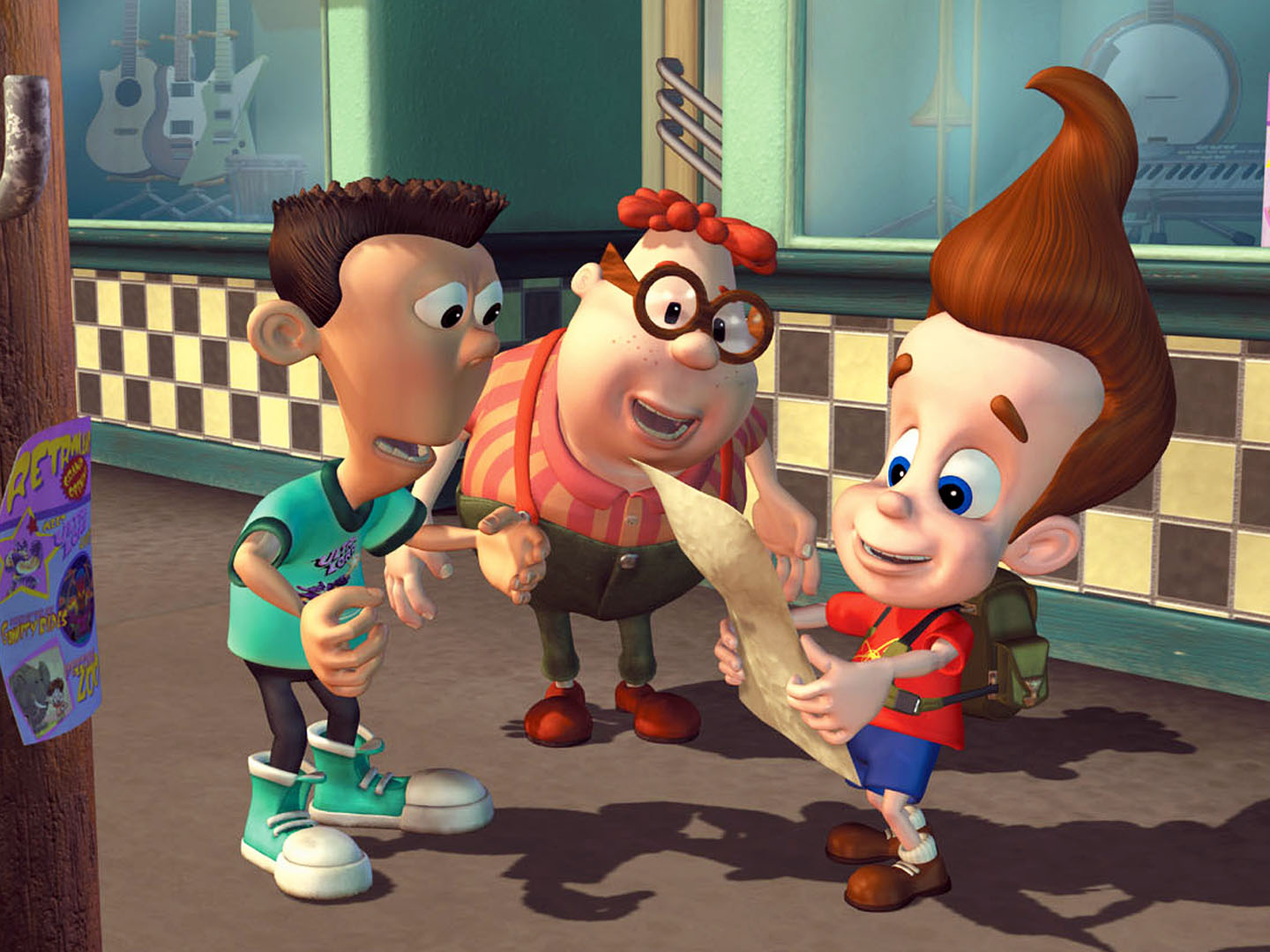
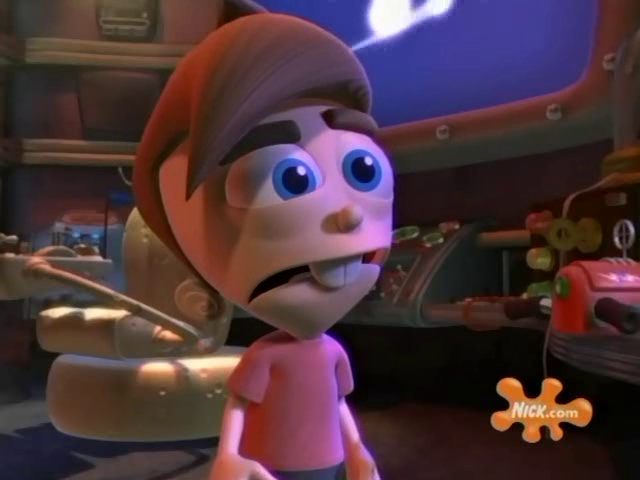
One of my favourite childhood things was when Jimmy Neutron and Timmy Turner crossed over to each other's worlds. Since The Fairly Odd Parents has a 2D look and Jimmy Neutron: Boy Genius has a 3D look, this made the characters look very different from what the usual viewer is used to. I thought it it was pretty cool to see the two in the different universes. It was pretty cool for my mind as a child to see this kind of change in animation.
Cinema 4D is a similar program to Maya. It is not as mainstream as Maya, but has some features and usability benefits I have not found in Maya. Coming from Cinema 4D it was difficult learning Maya. I felt like someone had hid and relabeled all my tools. But I'm glad I am relatively comfortable with both.
While I have only barely scratched the surface in my Maya class, I can tell there is a difference in the workflow between the two programs, and I vastly prefer the Cinema 4D flow, at least for my purposes. Like After Effects, I feel like everything I do in Cinema 4D is reversible and less permanent than in Maya. For example in Maya, to boolean two objects, you align the two, click them in the right order, and hit boolean. This permanently modifies the geometry and you are set. In Cinema 4D, you drag a boolean folder-like object into your objects list (called the outliner in Maya). You then put the two objects as inside the boolean folder. They instantly subtract but when you move the object that is subtracting around, it adjusts the boolean live and can be adjust later. This is one of the many easy of use benefits I have found in Cinema 4D over Maya.
Cinema 4D has its own Andrew Kramer-like site called Greyscale Gorilla. They make plugins, and downloadable lighting and texture setups as well as offer many easy to follow tutorials. Cinema 4D is around $3,695 but offers a student program, although it is elaborate to enroll in. I highly recommend the program.
Found this cool effect on YouTube to made clouds that pairs nicely to what we are learning in our motion graphics class. The tutorial pretty much makes the Ken Burns effect but with clouds. By taking apart the foreground mid and background by slicing creates this effect. Add some coloring and depth and you have yourself a cool effect of 3 dimensional clouds. Great tutorial if you need clouds in your shot.
A few months ago I had the pleasure of going to the traveling Pixar Exhibit at the Museum of Science in Boston. These types of exhibits are very hands on and interactive. While it may have been a little more technical than the Harry Potter or Lord of the Rings traveling exhibits, as a film student take 3D and animation classes, it was awesome. Each station that was set up demonstrated some aspect of animation, whether it be lighting, hair, working in 3D space, etc. There were simplified versions of the programs we use such as Maya, Cinema 4D, After Effects and more, to help kids interact in similar ways as animators do, with their favorite Pixar characters. One example of these exhibits was a computer screen with various lighting options such as intensity, color, and more. When the options are changed, there was a small, physical scene that is affected by all these changes. The exhibit was awesome and felt like walking into a physical manifestation of my 3D animation class. I highly recommend the exhibit if it comes to a museum near you.
Here is some info
Above is a link to the website of Stephen McNally, a very talented Irish animator I recently discovered while looking through Vimeo videos. A lot of his videos combine the use of 2D and 3D animation, giving his work a unique style. He has also uploaded several making of videos that break down the steps he goes through to create such interesting animations. I strongly suggest you check him out.
Electronic music artists, The Chemical Brothers, recently released a music video for one of the songs off their new album Born in the Echoes. The video makes impressive use of 3-D visual effects and motion capture technology by replacing the main actors body with 3-D printed constructions while she dances. The video was also taken in a single take and lasts just over four minutes.
In the 3D modeling course I took last semester, we spent a few weeks discussing the topic of 3D animation and how it could be used in a variety of mediums. We started this discussion by looking at some of the oldest examples of computer-generated 3D animation in film, and how different filmmakers have used the tool differently from back then to now. One particular milestone that I found interesting was that the first fully 3D rendered and animated sequence in any full length film premiered back in 1982 as part of Star Trek II: The Wrath of Khan. The sequence depicted a simulation of a device which could change any lifeless environment into a habitable one, and was it was created by the group that would end up becoming Pixar a few years later. Most blockbuster films nowadays are filled to the brim with 3D graphics and sequences that sometimes seem to blend in almost seamlessly with whatever live action performance is also part of the shot (or constitute the entirety of any number of shots), especially those films in the science fiction or fantasy genre, and I thought it was fascinating to see where the use of those graphics to that scale in that medium first debuted.
I've attached the clip from the movie here. Sorry for the bad quality. It was the only one I could find.
3D modeling and animation is something that I really wish. We have learned a bit of Maya in class, but I wish we could have taken more time to really go in depth with the program and make more 3D animations using it. But thanks to this class I have scratched the surface of Maya, and I am planning as a personal project to learn as much about it as I can to take my VFX to the next level.
But besides Maya, there is another program that I have been desiring to learn and try: 3Ds Max. Its another program very similar to Maya (they both come from Autodesk). And in some ways, I feel like I know how to use this program, and I haven't even used it yet.
I think the reason for this bold claim is because I watched this particular mini series on YouTube from BrandonJLA about learning 3Ds Max. Brandon is famous for being the 2nd in command to Freddie Wong on YouTube back in the early 2010s. They post a lot of cool videos that have a lot of VFX and 3D animations. The programs that they use to make their videos are After Effects and 3Ds Max. Both of these programs are very comment among YouTube and Independent filmmakers. But like any 3D program, many have found it intimidating to learn 3Ds Max. So Brandon takes the audience through the program, how to use it, how he learned it, and some of the pitfalls of 3Ds Max.
I've watched this series of videos a few times, and somehow I feel like I really understand 3Ds Max on at least a basic level. But I just find it humorous that I feel like I know it, and yet I haven't even used it yet. But I am planning to very soon.
The only problem is that 3Ds Max is exclusively on PC. You cannot download it for Mac (unless you dual boot your Mac to run a Windows operating system, but that process can be very annoying). And as a Mac user, thats kind of annoying, especially when Maya can be used on both Mac and PC (which is ironic since both programs come from the same company). But hopefully I can dowload it on my familys PC back home (if the specs are at least the minimum that I need to operate it).
But that is a project that I plan to do over the break: learn more about and practice 3D in 3Ds Max and Maya.
If you want to learn 3Ds Max in the future, I highly recommend watching this mini series from Brandon:
I work as a TA for the Computer Science department and it is one of my favorite things that I do. But one of the big issues with helping students grasp CS topics is that it is hard to connect the lines of code on your screen to the actions that they represent.
One of the first ways I learned to cope with my understanding in these subjects was to draw pictures. Sometimes pictures drawn on a board or sheet of paper have limitations that animations can overcome. Modeling abstract or 3D concepts is the best way to visualize and learn.
Performance capture is a type of acting involving body sensors that track movement. Cameras at different angles record the movement in order to create a three-dimensional position of the character. The data is mapped on a digital model in 3D software, like Maya for example, so that the digital character moves like the recorded actor.
Below is a video featuring James Cameron and the performance technology used in Avatar.
"We don't have to necessarily believe that they're 100% photo real and we don't necessarily have to believe that they actually exist--but we do have to believe them as emotional creatures," Cameron says on the Avatars in the film.
I find the head rig most interesting. It's a helmet like structure that fits comfortably on the head, along with a camera that captures the facial expression and performance.
Gravity is definitely one of the most Visually stunning films ever made. It's one of those movies where you feel like you are actually there in the moment and it just seems so real.
And yet 95% of the movie was CG. Almost everything you see was generated in post production using advance 3D software. The only things that were practically shot in production were the actors. But everything else from Space suits to ships to satellites and more were CG elements.
This behind the scenes look at Gravity explains the process of what it was like to make this movie, knowing that majority of it was going to be CG.
Premiumbeat.com is an awesome blog about filmmaking and video work alike. They post a lot of tutorials about using After Effects and similar software. I stumbled across this tutorial on their Facebook page about adding depth from a still photo using vanishing points.
This is probably one of the coolest effects that I have ever come across! Essentially you are taking a photo in photoshop, making it 3D, and then importing that data into After Effects and then can move it around using a camera.
Of course there are limits to this, like the fact that it will only be able to show whats in the still, nothing much beyond that. But still, this is an amazing effect, and will definitely try it out in the future!
An Oscar nomination for a feature film is a huge deal. I think ever more so for a short however. Christopher Hees, co-creator of the Oscar nominated short animation The Bigger Picture, describes how ecstatic he was when he learned he was nominated.
The Trailer
Directed by Daisy Jacobs, the short is about the struggle of two brothers as they face dealing with their ageing mother. The most clever part to it though, is how the short is 2D animated in a 3D space. Characters are painted onto the walls, while Papier-mâché versions of their arms protrude out and grab objects. These objects are brought back into the wall and become 2D painted versions.
I think the style of the short is awesome, and it's incredibly interesting seeing behind the scenes. You get a real appreciation for how difficult is must have been, and the patience they had.
I recently saw this video by the fine folks at RocketJump Film School (or Freddie Wong as some YouTubers might know him by) about using CG elements in films. A lot of people have said (and still do) that CG in live action movies just looks bad, and how it is better to shoot things practically (as in for real, captured in camera). But is this true?
In some aspects, yes CG doesn't always look great; it may look too animated or glossy and doesn't blend well. But that doesn't mean it's bad altogether. As Freddie points out in this video, the main reason we probably see bad CG and VFX is because the movies themselves are just bad altogether. But there are several movies that use VFX very effectively and people dont even realize it being CG elements. Things like adding cars to streets in a chase scene for example, majority of the cars in the scene are not real cars. They are CG cars that were rendered and utilized correctly in order to add to the story.
I think that the main point that Freddie is trying to make is that CG is simply a tool, a tool that is used to help enhance the story that a filmmaker is trying to tell. If that story is not good, then many other elements will start to look bad as well. The effects will call attention to themselves because the audience is not engaged enough in the story.
So in the end, what matters the most is having a wonderful story to tell to an audience, once you know you have a great story, use the tools you have at your disposal effectively; use the right mix of practical and visual effects in order to help tell your story and make it more engaging and more believable for your audience.