I think it’s important to
recognize the connections between music and animation. Kanye West’s music video for “Heartless” is an inspiring example.
Hype Williams produced and directed the music video, while he worked with the
animation sources, Michael Chomet and Optic Flavor. They teamed up and used a
technique called “rotoscoping”, which involves drawing over footage of live
actors. This technique gives the animation a very life-like feature. After doing
some research, I found out that the animation team was only given 10 days to
hand-draw 3,000 frames of animation and backgrounds, which seems insane to me.
Amazingly they were able to finish in time and create a music video that is an inspiring piece of artwork.
I have been a fan of animation for as long as I can remember. My parents were the first to notice my passion in it and suggest I look further into animating. This is when I took a drawing class where one of the projects was to create a charcoal animation; ie destructive animation where you erase and redrawn your frame every time. So far I haven't been able to devote a great deal of time to actual animating, but in my spare time all I do is watch and analyze animated films.
Animation has been around as long as film has been around. With early innovators like Méliès in 1896 already attempting stop - motion, the animation industry has evolved along with traditional narrative films.
While animation has gone through many phases, many pioneered by Walt Disney and his company, the type of animation that interests me the most is stop - motion animation. Many beloved films are produced through stop - motion including The Nightmare Before Christmas, Rudolph the Red Nosed Reindeer, and Coraline.
Stop - motion animation is the process where an animator will move the figure by a small amount, take a picture, and repeat. When all of the photos are put together the figure now has the appearance of fluid motion. One of the best examples of this is The Nightmare Before Christmas with dance numbers and multiple characters in each scene. Even though most of the scenes were shot at 12fps, there are two exceptions.
My favorite studio, and a studio that only does stop - motion productions, is studio Laika. Laika is responsible for the stop - motion films of Coraline, ParaNorman, and their upcoming project Kubo and the Two Strings, just to name a few. Studio Laika has 10 years of experience producing stop - motion films, with several Academy Award nominations. Laika has put out stop - motion films that never cease to amaze me. From color dynamics in Coraline to the incredibly accurate representation of bullying in ParaNorman, Laika has been using stop - motion animation to create incredible pieces of art for 10 years, and I can't wait to see what their next 10 hold.
Many of my friends claim that stop - motion animation is weird or disturbing for them but that's almost the reason why I like it. It's physical objects that are manipulated into giving the appearance of smooth motion, and I think that's fascinating. Hopefully with Kubo coming out in August and Anomalisa already out in theaters, people will be more open to stop - motion animation come to understand and respect the incredible amount of work that goes into these beautiful films.
This is a cool tutorial that I found online. Easy to follow and a very cool effect to do if you want to work on After Effects. It is making your text look like light. The narrator is easy to follow and goes slow enough to follow along. With our name project coming up it might be something to play with. It also has some features that I hadn't heard about that might be useful for us to use in other projects.
As Arturo mentioned in the first class, a quality hard drive is essential. Though I haven't experienced a failure yet, I'm sure it will happen at some point. Unfortunately, my friend did have a hard drive fail during finals week, which forced her to restart her project from a certain point just a few days before the premiere.
We talked about G-tech drives during class, and I have to say these are some of the best drives, though they are also expensive. I personally have been using a WD Passport, which is a cheap drive. Though primarily for storage, I have been using it to edit off of but I hope to transition to a better suited drive soon so that I don't lose it entirely.
Take a minute to watch the short animation, and be prepared for the worst case scenarios this semester.
If you love games like Animal Crossing, as well as online cartoons, then look no further! A few days ago, one of my personal favorite online animators, Max Gilardi, aka "Hotdiggetydemon," posted his new cartoon, titled as "Isabelle ruins everything." It parodies the popular Nintendo 3DS game, "Animal Crossing: New Leaf," by showing what would happen if the player's second in command, Isabelle, takes charge over the town. The hilarious dialogue between the mayor and Isabelle entertains the viewers by basically explaining why a Marxist government wouldn't work in today's world. I found it to be rather smart, as well as pretty adorable.
Gilardi has been known in the past to be rather controversial in his subject matter, and many of his cartoons involve explicit material, such as violence, swearing, and sex. This animation, however, is oddly innocent compared to many of his other past creations. Other than a few moments of light police brutality, the cartoon overall felt very refreshing to watch compared to many other popular online animations out today. It was mostly dialogue that consisted of little swearing, and a more informative commentary. The animation is also superb, and the little quirks, such as the way their mouths moved, made me fall in love with this. If I ever had the opportunity to work with an animator like this, then I would do it in a heartbeat.
I don't know anything about animation, but I do know that I like it and I'm excited to learn about it. Movies, shorts, title sequences, whatever it is I'm always amazed at how animated pieces are put together. I enjoy watching animated movies and then going back and learning from the 'behind-the-scenes' videos or 'the making of' videos. I have no previous experience with this stuff except for maybe the drawing classes I took when I was 10 (does that count?). I started using photoshop over winter break to learn about masking, layering, and some other basic techniques, but After Effects is on a whole other level.
But that's okay. I went to Cinemapolis with some friends a few nights ago and saw Anomalisa--now that looked like it was very, very difficult to make. In other words, I'm thankful that a lot of stuff we're going to be doing will be on a computer with a least a few presets, and that we're not creating sculptures that have to be manipulated to create every single frame of a film.
I know that I need to work on my drawing skills this semester. Before I create good 3D animation, I have to be proficient in 2D animation, which means I have to get better at drawing. I plan on getting my colored pencils this weekend and then starting from there. Arturo showed my Fiction Field 2 class last semester a video where this comic book artist talks about drawing as a skill, not a talent: something that anyone, with enough practice, can get good at. Of course I can't find the video now, but maybe he'll show us in class next week. I'm not exactly sure what to look for as I collect source material for my name animation, but I presume I'll figure that out shortly.
One of my favorite experimental filmmakers also just so happens to be one of my favorite animators. Miwa Matreyek, a multimedia artist, animator, and designer combines her skills to incorporate her beautifully collaged animations with her own physical performances. She explores the physical interaction of her body with the animated world around her.
Matreyek gives live performances in a variety of showings and installations. More of her work can be found on her website: http://www.semihemisphere.com/
Above is a link to a short film I found today on Vimeo from Jacob Frey. It was his senior thesis film from the Institute of Animation, Visual Effects and Digital Post-production in Germany. I just find it to be so amazing that people our age are capable of producing 3D animation that looks this amazing. It's a simple short story, but I would say it could hold it's own against anything Pixar or Dreamworks put out in terms of technical quality.
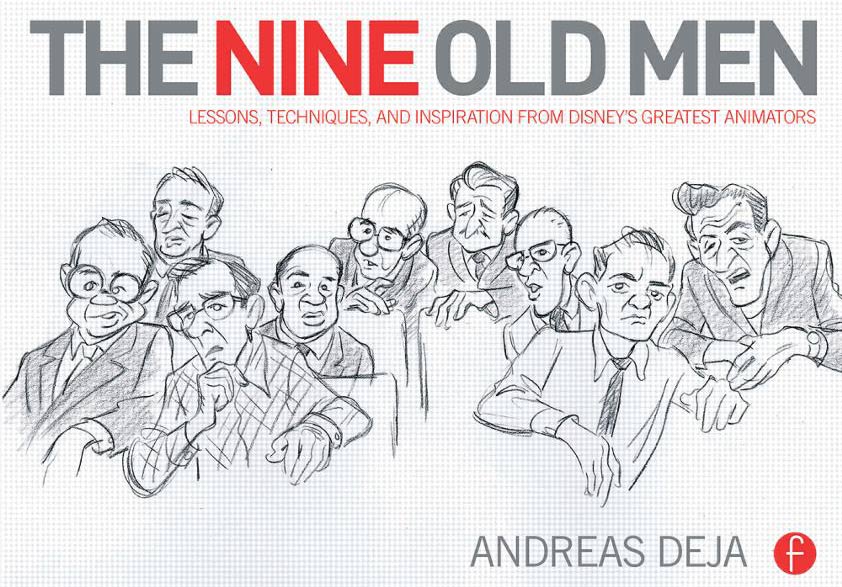
In case your wallets aren't crying from buying all your textbooks this semester, there are a couple of not-quite-textbooks that I definitely recommend checking out if you can get your hands on them. If you're at all interested in the work and techniques of hand-drawn animation, these are must-haves. The first one in question is The Nine Old Men by Andreas Deja - an animator who has contributed work to a wide variety of the Disney films' villains - which chronicles the stories of the nine biggest Disney animators and what work they contributed to what films. Don't worry, there are plenty of pictures; this book features loads of storyboard artwork and sketches of keyframes from some of their iconic animation sequences. Quite an interesting read for people looking for inspiration of what to draw and how to make their drawings come to life.
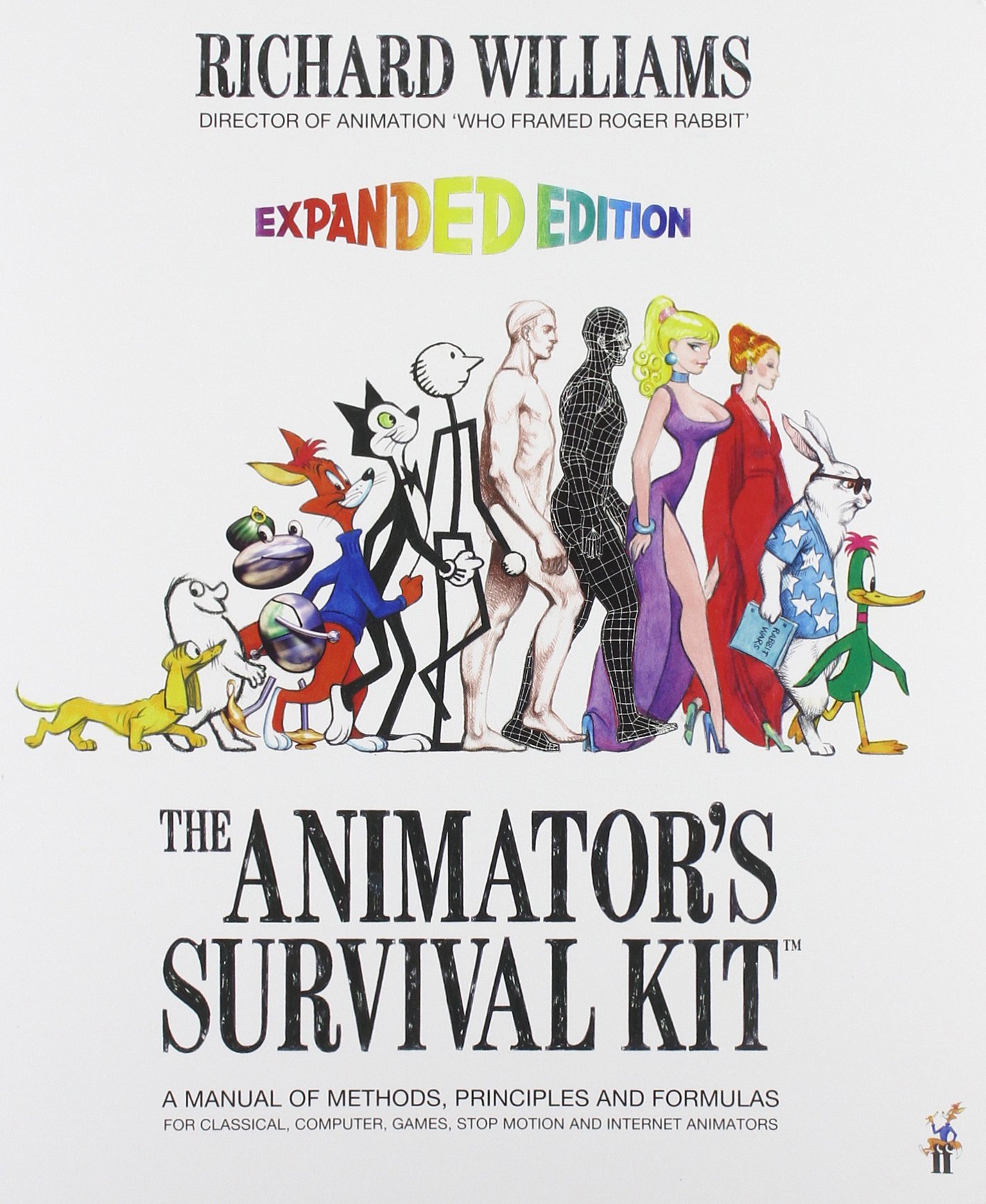
The second book to add to your shopping list is The Animator's Survival Kit, written by Richard Williams, the director of animation for the film Who Framed Roger Rabbit. This entry goes more in depth on the tutorials for the fundamentals of hand-drawn animation; it includes the essential stuff like bouncing balls, walk cycles and body physics, but it also includes do's and don'ts of how to animate dialogue, the methods of visualizing the the sequence of anticipation-action-reaction, and a general workflow of this style of animation. There's also some great examples of how to animate four-legged animals realistically, tips on directing a project, and other cool sequences that can make for some fun drawing exercises. Not to mention all the text looks like it was hand-written (it probably was, it's the source of this book's charm).
So if you're ever looking to make the next Disney or Warner Bros. animation film, grab a lot of paper and pencils, an animation lightbox from PPECS, and these two books and you'll be well on your way.
Hey everybody! I thought it would be helpful to you all if I shared this online game that I used to get better at the pen tool. I'll warn you, though, it gets pretty difficult, but you learn A LOT from it.
I'll also give you this link to a page of online games that are meant for creative graphic designers. They're fun, helpful, and wicked competitive. I'm not kidding. I've lost friends because of some of these games.
Part one of Graphic Design School begins by explaining to the reader how designers today successfully achieve their greatest work through engaging with the world and really taking in whats going on around them. It goes on to give examples like using the knowledge of famous designs in the past and putting a spin on it in a creative and personal way. One of the things that stood out to me the most was how the author touched upon the Air Jordan- nike symbol. This alone shows how design is literally everywhere whether its clothing,art, ads, trademarks, media and etc. the list is never ending. Ive been following Jordan's Nike collection for a good amount of time and have really caught an interest in the product so I decided to look up a a few designs I liked.
These are Jordan's first colab shoes with nike. These were released in 1985 and ever since have been released every year. My favorite part about these shoes are the wings by the heel of the shoe.
This was the first of many, as you can compare to the examples given in the book many artists have taken it upon themselves to work up a design for the nike company and certainly make a lot of money doing it.
Last semester was a quite the learning experience for me in terms of the correct workflow for animation and VFX processes. When we we're shooting Relativity, my senior thesis, one of the more important details of the project was that we had to include several computer screens in the shot (they were hackers, so it was unavoidable). This is something that didn't come up in pre-production, although it probably should have, and so we showed up on set the first day with no plan for rotoscoping the screens.
Someone on set had the idea of taping the corners so that I'd have something to track onto in post. A good idea, especially since the tape was green and easy to distinguish from the surrounding white and black screens. What we failed to think through was the fact that many of the shots had obscured screens or characters moving through them, which makes it a much more difficult process. This could have been shot around, we just didn't think of it in time.
The other detail that we shouldn't have overlooked is the fact that a large number of the shots were handheld. This makes it a lot harder for AE to track all the points, especially when there are characters moving in front of the screens. This shot was particularly difficult, because the characters crossed both screens independently at different times.
That being said, this was by far the most difficult shot. Not only does he move in front of the screen but there is an intense amount of motion blur and shaky camera movements. On top of all that there is light changes across the entire screen, something I didn't notice till the day of the premiere and is currently on my to do list for this semester.
Definitely a learning experience for me, but it gave me a great crash course in rotoscoping which I hope to improve upon this semester.
I watched this video last semester in my Computer Art and Animation course. I thought of it as soon as I heard we would be learning how to animate in Maya. It was created to demonstrate what one could do with the software in 1998 (https://en.wikipedia.org/wiki/Bingo_(1998_film).
(Unfortunately, Wikipedia seems to be the only detailed source of information regarding this animation.)
I think this was a great story to tell with animation. The professor who showed this to me
liked to say that animation is an excellent medium to create what's not possible in real life. A good example of this is shown at 0:42. The clown's head begins to grow larger as he yells at our protagonist, creating a much more threatening image. Had this scene been created with real people, it certainly wouldn't have been as fear inducing as it was here. This exaggerated image helps the viewers empathize a bit more with the small man in the chair, by showing us exactly how afraid he is. Not everyone is scared of clowns--even if they're yelling-- but I'm sure anyone would frightened of the giant monster portrayed in the short.
Despite its age, this animation is certainly still a gem and is worth a watch (or two).
3D modeling and animation is something that I really wish. We have learned a bit of Maya in class, but I wish we could have taken more time to really go in depth with the program and make more 3D animations using it. But thanks to this class I have scratched the surface of Maya, and I am planning as a personal project to learn as much about it as I can to take my VFX to the next level.
But besides Maya, there is another program that I have been desiring to learn and try: 3Ds Max. Its another program very similar to Maya (they both come from Autodesk). And in some ways, I feel like I know how to use this program, and I haven't even used it yet.
I think the reason for this bold claim is because I watched this particular mini series on YouTube from BrandonJLA about learning 3Ds Max. Brandon is famous for being the 2nd in command to Freddie Wong on YouTube back in the early 2010s. They post a lot of cool videos that have a lot of VFX and 3D animations. The programs that they use to make their videos are After Effects and 3Ds Max. Both of these programs are very comment among YouTube and Independent filmmakers. But like any 3D program, many have found it intimidating to learn 3Ds Max. So Brandon takes the audience through the program, how to use it, how he learned it, and some of the pitfalls of 3Ds Max.
I've watched this series of videos a few times, and somehow I feel like I really understand 3Ds Max on at least a basic level. But I just find it humorous that I feel like I know it, and yet I haven't even used it yet. But I am planning to very soon.
The only problem is that 3Ds Max is exclusively on PC. You cannot download it for Mac (unless you dual boot your Mac to run a Windows operating system, but that process can be very annoying). And as a Mac user, thats kind of annoying, especially when Maya can be used on both Mac and PC (which is ironic since both programs come from the same company). But hopefully I can dowload it on my familys PC back home (if the specs are at least the minimum that I need to operate it).
But that is a project that I plan to do over the break: learn more about and practice 3D in 3Ds Max and Maya.
If you want to learn 3Ds Max in the future, I highly recommend watching this mini series from Brandon:
Flashback to August and our first class, I was excited to learn about Motion Graphics and Animation but admittedly, quite overwhelmed. I had never touched After Effects before, let alone Maya or Cinema 4D. The first few classes I was able to keep up with the basics. Quickly, though, I found myself trailing behind--not because I wasn't capable of what we were doing, but simply because the keyboard commands and programs as a whole were so foreign.
It was a tough start getting going but the key is practice. I know that sounds redundant and obvious, but as your basic knowledge grows the better you're able to understand more complex concepts.
Now, I'm much more confident in my skills. I'm able to watch simple animations and figure out at least conceptually how it's done. My knowledge in regards to the many different effects these programs offer has grown immensely and keyframing is now second nature.
Just take a look at how my name animation has evolved.
My point in writing this is to encourage any newcomers who might be taking this course next semester, or someone who maybe has interest in the topic but finds the idea daunting. Do I see myself becoming an animator in the future? Not particularly. But I think the skill set you gain in understanding this type of media is incredibly useful no matter what branch of production you find yourself in. Happy Animating!
When I was looking at the animated films nominated for best animated feature films for the Oscars, this one movie really caught my eye. I thought it was really cool to have a stop-motion animated film in general, and on top of that one that is nominated for an Oscar. This film is called Anomalisa and answers the questions of "What is it to be human? What is it to ache?". I think it looks like a really good film and something I definitely want to check out. I also thought the stop-motion was amazing in the trailer, I really haven't seen stop-motion done quite that well before. The stop-motion looks similar to our own world, but still has some unique differences. It will be a film to watch out for when the Oscars come about.
A YouTube channel I've been watching for quite some time now, AndrewMFilms just released a video I really enjoyed, A Fun Day in Roller Coaster Tycoon. AndrewMFilms periodically creates short videos like the one featured here, which always involve an impressive amount of high quality VFX, usually involving lots of CGI too. This particular video is based around the popular theme park simulation game "Roller Coaster Tycoon".
A Fun Day in Roller Coaster Tycoon
What I love about this video, is that it was filmed around a theme park, and only used After Effects and Cinema 4D. It's quite inspiring to me, to try and create something similar. I love how they've simply added and modified pre-existing rollercoaster's to create some cool and funny effects. Check out the making of video, shows some good insight.
So for my last blog post I found another Parabella commercial for "Belgian National Lottery". This one minute animation tells the story of a snowman who wishes to go somewhere tropical and is transported there by his woodland friends. I adore the cartoonish design of all the animals and the snowman, and the clean detailed layout of the forest. But what's great about this commercial isn't just the video itself...
I think animation has taught me that it is a large part of our visual consumption. I used to think that it was solely used for cartoons or animation movies, but now see that this skill is applied for commercial bases as well! So many big companies are using animation as a means of telling their story or representing their ideas because, let's face it, there is nothing impossible when it comes to art.
So while this Title sequence project is the bane of my existence and is the hardest project I have done in this class, it is still definitely my favorite project that I have done this semester.
This project is a very long and hard process that I am still not completely finished with even as I write this post. But I have kind of loved every minute of it. And that isn't even because I love animating in After Effects that much (I mean I like it, but it is not my favorite activity). But I am very excited about how it is going to turn out.
So I started out this project thinking I was going to remake the title sequence for To Kill A Mockingbird, however after really thinking about my skill level, I decided that was totally not going to work. So instead I decided to go with my own new version of the Avengers end title sequence. And while yes, I know, the Marvel titles are all really cool and super 3D and crazy complicated, mine is not like that at all. I know that mine is a very simple 2D small scale kind of thing, but I really like how it looks and I am excited to finish it. I also think it looks pretty good for my skill level.
In After Effects, there is a standard tracker that will track parts of a video clip. See the image below. Basically, Box A looks for what ever pattern is in Box B across every frame, then exports this movement to the crosshair C. Box A is call the Search Area Box B is the Pattern Area
and the Crosshair C is where the data is exported to.
Once you hit play, After Effects follows the Pattern Area by scanning through the search area for the same pattern every frame.
That's all fine and dandy when you pick good tracking points, but what makes a good tracking point and how does this tracker work?
Good Tracking Points
For the most part, you want to select points with high contrast. This is all well and good, but what if you can't find any? as it turns out there are a few solutions:
Only track points that actually exist
Don't try to track the intersections of two objects because no mater what you try, that point is not going to stay the same as the camera's perspective changes.
Don't track the edges of objects
Often there is high contrast on images with a building and the sky, but if this was a vide, we do't want to track that edge. For the most part, these edges allow the tracker to slide across it because of the similarity in the texture of the building and the texture of the sky. This results in an inaccurate track.
Never take your eyes off the track
When the computer is tracking your point, don't let yourself become distracted. Often when you aren't watching it, the track will veer off target. By watching it, zoomed in, you will know how accurate this track is going to be before it even finishes.
Use the right size tracker
As in most Tracking programs, you can designate the size of the pattern area, and the search area for your tracker in after effects. By changing the size to only encompass what you're trying to track you have a better chance of catching it every frame. Also if there is a lot of motion in your frame, perhaps it makes sense to have a larger search area.
What points to avoid
When tracking your points of high contrast make sure to pick points that do not have:
Motion Blur
Soft Focus/Rack Focus
Occlusion
Noise
Low Contrast
no features /single color
Interlacing
Some Ways of Correcting the above issues
Motion Blur
Expand the search area. The extreme motion of the camera maybe causing the pattern you were trying to track the movie on the default search area and this will cause a tiger to stop or slip.
Expand the pattern size. This gives this offer more information to work with and might help it to continue through the motion blur.
Sometimes manually tracking the point at the parts where the clip is most blurry can keep it on track.
Soft Focus/Rack Focus
Use a bigger pattern size. Bigger pattern sizes can sometimes compensate for the noise in the soft focus features because the program is simply more pixels. This causes a sort of averaging effect on the track.
Slightly blurry the image. It seems to go against common sense to blur the plate when blurriness is the problem you're trying to solve. This technique sometimes is more effective because it will help get rid of the graininess and produce a smoother track.
Sometimes tracking from the in focus part of the shot to the out-of-focus part gives you a better result too.
Occlusion
In order to solve occlusion, you can track it by hand or for the frames your tracking point is occluded find another tracking point that could potentially work for a little while. Make sure, when you move the pattern and the search area, that you leave the origin (Crosshair C) right where it was. It should still follow the motion, relative to the position of the pattern and search area.
Noise
Whatever you do, try to remove the noise. Noise really confuses it to the tracking system. If even buy D noising your image, you still have a lot of green, try tracking only one channel.All video is composed of R G and B values, and perhaps there is less grain in one or two of those three channels.If all else fails's, do the track on the noisy shot, and use the smoother to all on the keyframes.
Low Contrast
Most 2D trackers will use the luminance value of the pixels they are tracking. If you can try tracking only in our, G, or be color channel instead. Sometimes one of these channels has more contrast than the others.Another solution is to add an effect of the clip that makes features more "legible." If you add a sharpen effects to your clip perhaps you can get better results.
no features /single color
If your clip has almost no features and is more or less a single color there is not many options. You could try tracking an edge, but the tracker may slip. You can try playing with the color channel your tracking, but you may not get any more information there either. Ultimately if you have to track a shot like this you are better off tracking it manually.
Interlacing
The easiest way to deal with this problem, is to Deinterlace the image before you begin your tutti track. Most compositing programs have a Deinterlacer. I hope that you found some of these tips helpful in the projects you're working on, I know that they have been helpful for me and my green screening project!!
I work as a TA for the Computer Science department and it is one of my favorite things that I do. But one of the big issues with helping students grasp CS topics is that it is hard to connect the lines of code on your screen to the actions that they represent.
One of the first ways I learned to cope with my understanding in these subjects was to draw pictures. Sometimes pictures drawn on a board or sheet of paper have limitations that animations can overcome. Modeling abstract or 3D concepts is the best way to visualize and learn.
I found this cool animation of the evolution of time. I'm kind of a geek and I find history to be awesome so when I found this video I thought it would be appropriate for this class. I don't think people understand truly how long humans have been around compared to Earth's history. This animation puts it into a more visual understanding. You can watch the video here
I've been looking at a lot of foreign made animated content lately, and I've noticed that many of the pieces have no dialogue whats so ever. I like that a lot of animations cut the dialogue to make their content more universally understandable. Take this thesis film for example, made by incredible artist and animator Vivienne Medrano.
The animation, while being silly and lighthearted includes themes of prejudice, queer themes and love. Just from the characters color pallets and expressions we have a clear idea of their personality.
Also the music is really something else. There is hardly any diegetic sound, but the music does such a wonderful job of disguising it that you rarely even notice. The art style itself is fun and poppy, and the designs of the characters speak volumes about their personalities ie the police owls.
I really feel as though you can't make these kinds of films with live action. Human movement is too clunky and awkward to choreograph in this way, and acting would be a nightmare since so many of the characters expressions are so silly and over the top.
I hope you guys enjoy the animation. I've watched it about 3 times now, and I'm always finding something new about it to enjoy!
With the upcoming release of Star Wars: The Force Awakens, I've been looking back over clips from the prequels, interested in what went so wrong. One major factor which everyone attributes the prequels for mistakingly doing, is overusing CGI.
While I can appreciate more CGI than others (a strong bias which stems from wanting to work in the VFX industry), I can certainly only withstand a certain amount. And I agree the prequels and subsequent re-releases of the original trilogy went overboard. I came across the following featurette on how digital characters were used in replace of puppets.
It is an hour in length, I'm about 3/4's of the way though, but if you have some time I'd recommend giving it a watch. Understandably though you probably don't have time, so just check out the scene from around 8:47. It's interesting to see George Lucas' bias towards CGI and how he approaches it. I found it fascinating how the whole featurette feels slightly dull and lifeless, like the heart of filmmaking is missing.
Overall I think it's worth a watch, an interesting look into Lucas' mind.
So after about three and a half months, I thin it's safe to say that we can all open After Effects and produce something. But there are countless tools out there to help us advance our skills and continue to grow in motion graphics and animation.
There are several websites, organizations, companies, VFX studios that recognize and appreciate the works of amateur or professional graphic designers, animators, and motion graphics artists.
One website that I found to be really cool was motiongraphics.nu. This website allows you to upload any work or project that you have created and either in your free time or as part of your job or other work.
One of the videos that I found fascinating was this one. Check it out.
It has some really, really cool videos on motion graphics.
Another really cool website is hitrecord.org. It is an online collaborative production company founded and owned by actor and director Joseph Gordon-Levitt. You basically create an account, and can start working on anyone's project or put something up of your own and make it a worldwide collaboration.
Just by searching 'animation' you can find 100s of projects or collaborations to work on.
So one of the greatest things to come to YouTube was Game Grumps, and one of the even greater things about this are the mountains of animators that like to bring their videos to gaming-life! This video is from YouTube user iscoppie who decided to spin a few of their conversations as if they were characters from a Kirby and Super Mario series. I highly advise that you only watch this if you can stomach raunchy stories.
I think this is a pretty good example of the messy sort of beauty of motion. It's truly an inspiration for lazy animators (kind of like me but not really), not to say no work went into this video, but that the unruly technique lends itself to a fun and attractive animating style!
I was surfin the net like I'm one to do, when I came across a really rad animated music video. I usually don't like dubsteppy kinda stuff, but I found myself really liking this one!
First of all check out how bobby everything is! It's like the characters are actually dancing to the music. Also the skull guy, even though he don't have no mouth, is designed so well that you always know what he's thinking. Could you make this kind of stuff in After effects? I feel like the bobbing to the music thing is something I've seen us do before in class.
The only thing I really don't like about the music video are the colors of the main characters. Everything is colored really spookily, but the other main characters are these boring flat colors. It makes me more mad than when I strikeout in a softball game. ( ͡° ͜ʖ ͡°)
With 2015 coming to an end soon, there are quite a few things to look forward too in 2016, one of those being animation movies. There is an array of animation films coming out in 2016, but there are ten that seem standout. Among those ten, I am looking forward to TheSecret Life of Pets and Finding Dory. The Secret Life of Pets is about what your pets do at home and had a fantastic trailer, it will definitely be a hit. And Finding Dory is a long-awaited film sequel to 2003's Finding Nemo all about everyone's favorite character Dory. 2016 will definitely be a good year for animation. Below is the list moviepilot came out with, enjoy!
Ratchet & Clank
The core of many gamers childhood lies within Ratchet & Clank. The game franchise has been around with many years and finally we are getting a beautiful, action-packed movie to feed our nostalgic hunger. If you haven't seen the trailer already, you should definitely do that (and come back) because the film looks absolutely gorgeous. It's nice to have some good animations outside the big dogs of Disney and Dreamworks.
The Angry Birds Movie
When this film was first announced, people were quick to complain and predict atrocity, which is so common nowadays! But after watching the first trailer I was pleased with how it looked. It didn't look as mature as Despicable Me but it didn't look as childish as Planes. With a lovable cast including Bill Hader, Peter Dinklage and Josh Gad, we should be in for a funny family movie.
Moana
This movie is one animation I have insanely high hopes for! I really think this could be Disney at it's peak. Moana follows the story: "A young woman uses her navigational talents to set sail for a fabled island. Joining her on the adventure is her hero, the legendary demi-god Maui." You already know you're going to laugh and cry at this film. The animation looks like Disney's usual great and with some top-notch casting we have an instant classic on our hands I reckon.Dwayne Johnson plays demi-god Maui and Hawaii native Auli'i Cravalho playsMoana in her first ever feature film! The start of a big career maybe?
Kubo and the Two Strings
Director Travis Knight (ParaNorman, Coraline, The Boxtrolls) has taken on the seat for this animation telling the story of Kuba who is being hunted by Gods and Monsters because of age-old vendetta. To stop them he must locate a magical suit of armor once worn by his late father, a legendary Samurai warrior. Matthew McConaughey, Rooney Mara and Charlize Theron star in this stellar cast who I reckon will light this tale on our screens next year.
Sing
"A koala named Buster recruits his best friend to help him drum up business for his theater by hosting a singing competition." This film is the second animation on this list that Matthew McConaughey is in as the Oscar winning actor is quite the busy man lately. He will be joined by a fantastic cast (above) with the likes of Scarlett Johansson and Seth MacFarlane. I'm insanely excited for this one because it's the same studio that brings us Despicable Me and with a cast like that I think it could be the dark horse animation next year.
Zootopia
Zootopia (or Zootropolis in some countries) is, for me, the most promising animation of next year. Playing on the buddy-cop theme with a banter relationship between the fox Nick Wilde (Jason Bateman) and the rabbit Bonnie Hopps (Bonnie Hunt). The trailer looks hilarious and beautifully animated. Also, let's be honest, Disney are the top dogs in this game they hardly ever do any wrong, I feel this film will rank among their best from my early impressions!
The Secret Life of Pets
This movie is a bit of a no-brainer and I'm surprised it hasn't been done earlier. The timing is quite perfect though because pets are constantly worshiped online so maybe the timing is impeccable. Either way this film looks great. What do your pets do when you leave for work/school/etc? Well, we'll watch this and find out! The cats and dogs look super cute, expect this movie to doextremely well.
Finding Dory
The long-overdue sequel to 2003's Finding Nemo has a similar story that follows the most lovable character from the first movie, Dory in search of family. This will most likely be the king animation of next year with the anticipation building over numerous years.
Kung-Fu Panda 3
When animations go past number 2 I usually lose interest (Excluding Toy Story) but I have to admit, this movie looks like the funniest one yet. Of course Jack Black is back but this time we see his reunion with his dad (Bryan Cranston, amazing casting) and we see a hilarious moment of when they don't recognize each other with totally sold me for this movie. I'll certainly give it a chance.
Norm of the North
This movie is Lionsgate's entry to the animation game next year. This one doesn't look as strong as the others but it's still worth of a chance! The plot would make you think of Madagascar; "Displaced from their Arctic home, a polar bear named Norm and his three lemming friends wind up in New York City, where Norm becomes the mascot of a corporation he soon learns is tied to the fate of his homeland." Like the others on this list, I'll give it a chance! I'm excited with the cast though, featuring: Bill Nighy and Ken Jeong. Will they be enough though?
Have you ever wondered how a certain movie is made from a technical point of view? Have you ever ask questions like what camera did they shoot on? what did they edit on? Did they use this software or that program to edit and do the VFX? I know I have asked that question about several films.
If you wanted to know the answers to questions like those, then I have the site for you! Shotonwhat.com is an awesome database that shows you what tech and software that they used for certain movies. Its kind of like IMdB for film techies.
Through this site I learned about which movies used which software such as After Effects and Maya. After Effects, while not the Hollywood standard based on the data I saw, is still quite popular and used for a good amount of films, including those from Marvel such as Iron Man 2, Captain America, and the Avengers. And Maya... Maya is basically the standard for 3D and VFX in Hollywood (at least thats what it seems like) based on the LARGE list of movies that say they used Maya in Post production.
The only downsides I would say about this site is that not every category for a film is filled in, so some data is still missing. And Some movies might not actually be up there, although Id say a large majority of movies are on this site. Also I wish that this site would specifically explain what each software or piece of gear of was used for on the movie.
But overall, I really love this site because its very cool to see the technical side of things when it comes to movie making.
I definitely recommend checking it out here: https://shotonwhat.com/
I found this really cool blog showing before and after movie scenes that used CGI. Back in the day, filmmakers used matte paintings, trick photography, etc. to achieve impossible looking cinematic effects. Today filmmakers have almost perfected the art and application of CGI in films.
Click on this link to look at it: http://digitalsynopsis.com/design/movies-before-after-green-screen-cgi/
Enjoy!
Rudolph the Red-Nosed Reindeer is a stop-motion animation film made by Rankin-Bass productions back in 1964. It is a Christmas classic, that I know I can personally say I revisit every holiday season. In fact, Ruldoph has been telecast every year since 1964 making it the longest running Christmas TV special in history. Just last year we celebrated the film's 50th anniversary.
Here are a few fun fact about the movie:
1. Rudolph was filmed in Japan (where a number of Rankin-Bass specials were produced).
2. The soundtrack, however, was recorded in Toronto (as most of the cast are Canadian).
3. Sam the Snowman was was designed to resemble his voice actor Burl Ives.
4. The Santa puppet is about 8 inches tall and the Rudolph puppet is about 4 inches tall.
5. In the original version, nothing is mentioned of the Misfits after the first visit to the Island of Misfit Toys. The producers received letters from children complaining about this. They then produced a new short scene at the end where Santa and his reindeer land on the Island to help the toys find homes, and that has been the standard version of the program ever since.
Rankin-Bass is also responsible for the similar, and equally fantastic Little Drummer Boy, Frosty the Snowman, Santa Claus is Comin" to Town, and Year Without A Santa Claus christmas specials. Rudolph, however, was the first of the bunch.
Here's one of my favorite scenes from Santa Claus Is Comin' To Town.
Let us talk about some animation apps! #emergingmedia
Animation Studio - $.99 - This app includes all of the necessities (brushes, tools, layers) that one would need for drawing or creating 2D animation on a mobile device. You can upload your content directly to Youtube from this app and it allows you to add audio. It even includes premade stickers and characters that you can animate.
Animation Desk - $2.99 - This is an app that is more geared towards the iPad and is specifically designed to be used with a stylus. This app is perfect for creating original art and then animating it. This app utilizes onion skins to hand draw animations.
Toontastic - FREE - This is a fun interactive animation app. There is a wide range of stickers to drag and drop around the screen and record their action. This app is good to get younger generations into animation because it is very simple to use.
*** MotionPortrait - FREE - This is an app that takes still portraits and using tracking points to animate the image into a slightly moving cartoon. This app is really useful for concept art and is a cool use of animation technology.


 These are Jordan's first colab shoes with nike. These were released in 1985 and ever since have been released every year. My favorite part about these shoes are the wings by the heel of the shoe.


